Change a payment due date
A payment cadence works out each due date from a rule: so many days before the event, or straight from signing. Most of the time that is exactly right. Then a customer asks to pay the deposit on the first of the month instead, or to settle the balance after the event rather than before it, and the rule has no way to say so.
Any payment on a schedule can be moved to a specific date. The amounts do not change: the cadence still decides who owes what, and you are only telling Florio when.
Move a date
- Open the proposal. The Payment schedule sits on the rail, under the total.
- Click the date under the payment you want to move.
- Pick the new date and click Save.
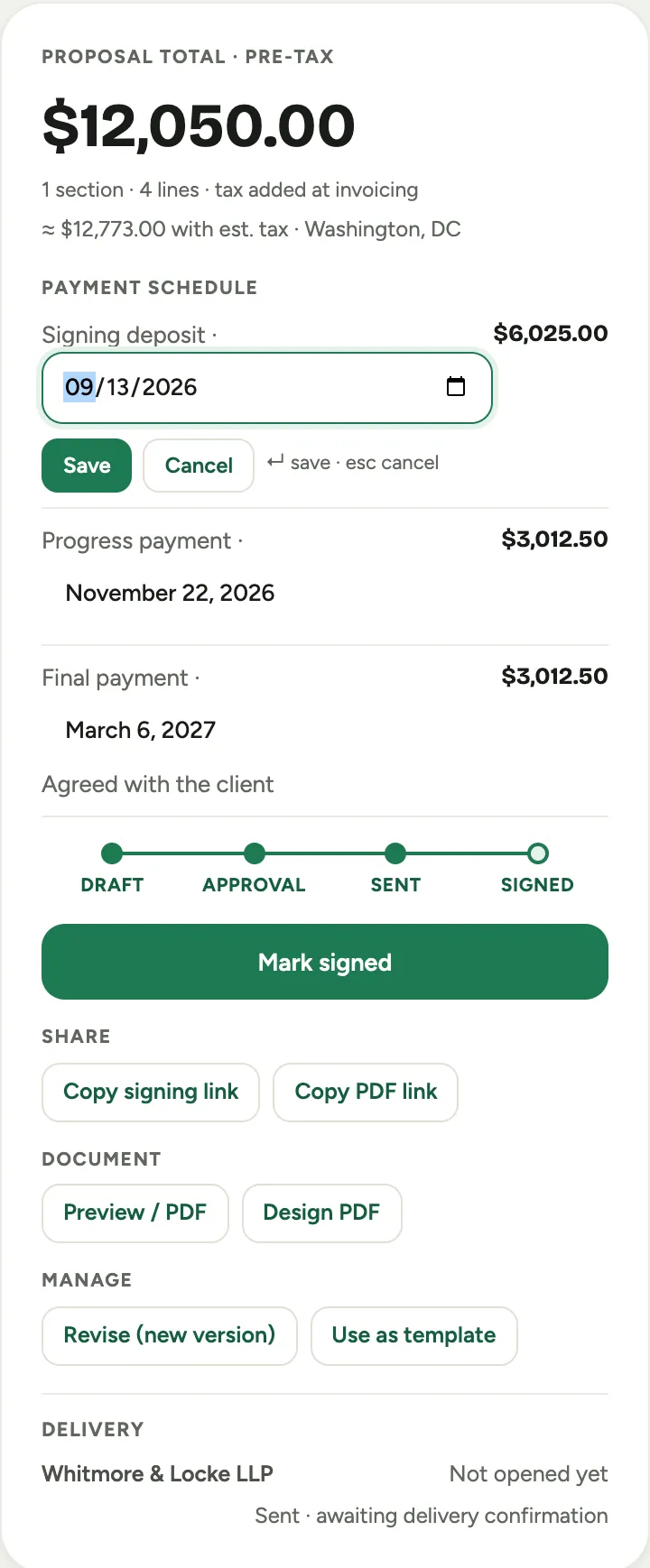 Screenshot from a demo workspace; data illustrative.
A payment you have dated yourself is marked Agreed with the client, so the next person to open the proposal can see the date was negotiated rather than calculated.
You do not have to wait for the customer to sign. A proposal that is already out for signature can still have its dates moved, and the document they open picks up the change: the payment schedule on their proposal shows the dates you agreed, not the ones the cadence worked out.
Once the event is signed, the same schedule is on the event’s Financials tab, and the dates move the same way from there.
Put a date back
Clear the date and save. The payment returns to the cadence’s own timing, and the Agreed with the client note disappears.
Good to know
- Only the date moves. If the price changes later and you re-issue the proposal, the amounts re-divide the way the cadence says and the dates you agreed stay put.
- Changing the cadence clears the dates you set. A cadence has its own shape, and the second payment of one is not the second payment of another, so switching cadence starts the schedule over rather than carrying a date onto a payment it was never meant for. Set the cadence first, then the dates.
- A payment already invoiced cannot move. Its due date is printed on a bill the customer already has. Those show the date as plain text with no way to edit it, along with anything already paid.
- A date in the past still folds into the deposit. Florio never schedules money for a day that has gone; a payment dated before signing is collected up front, which is the same rule the cadence follows.
- Moving a due date is an administrator’s job by default. If someone cannot click the date, they need the Change payment due dates permission, which you can grant on any role in Roles and permissions.
- Every change is written to the event’s activity log, with who moved it and where it landed.