Work the Inbox Triage queue
Inbox Triage is your AI front desk. It watches the mailboxes where inquiries land and, for every human email, decides what it is: a new lead, something to attach to a customer or event you already have, or a case it is not sure about and hands to a person. That last group is the review queue, and working it is a two-minute daily habit.
What the front desk does with an email
Each email gets an AI verdict. Opportunity becomes a new lead. Existing business is attached to the record it belongs to. Vendor and Bulk are filed out of the way. Anything genuinely unclear is marked Needs review and waits for you. Urgent messages are flagged so they rise to the top.
Work the review queue
-
Open Leads and click the Review chip, or the Needs Review stat card. These are the inquiries the front desk was not confident enough to file on its own.
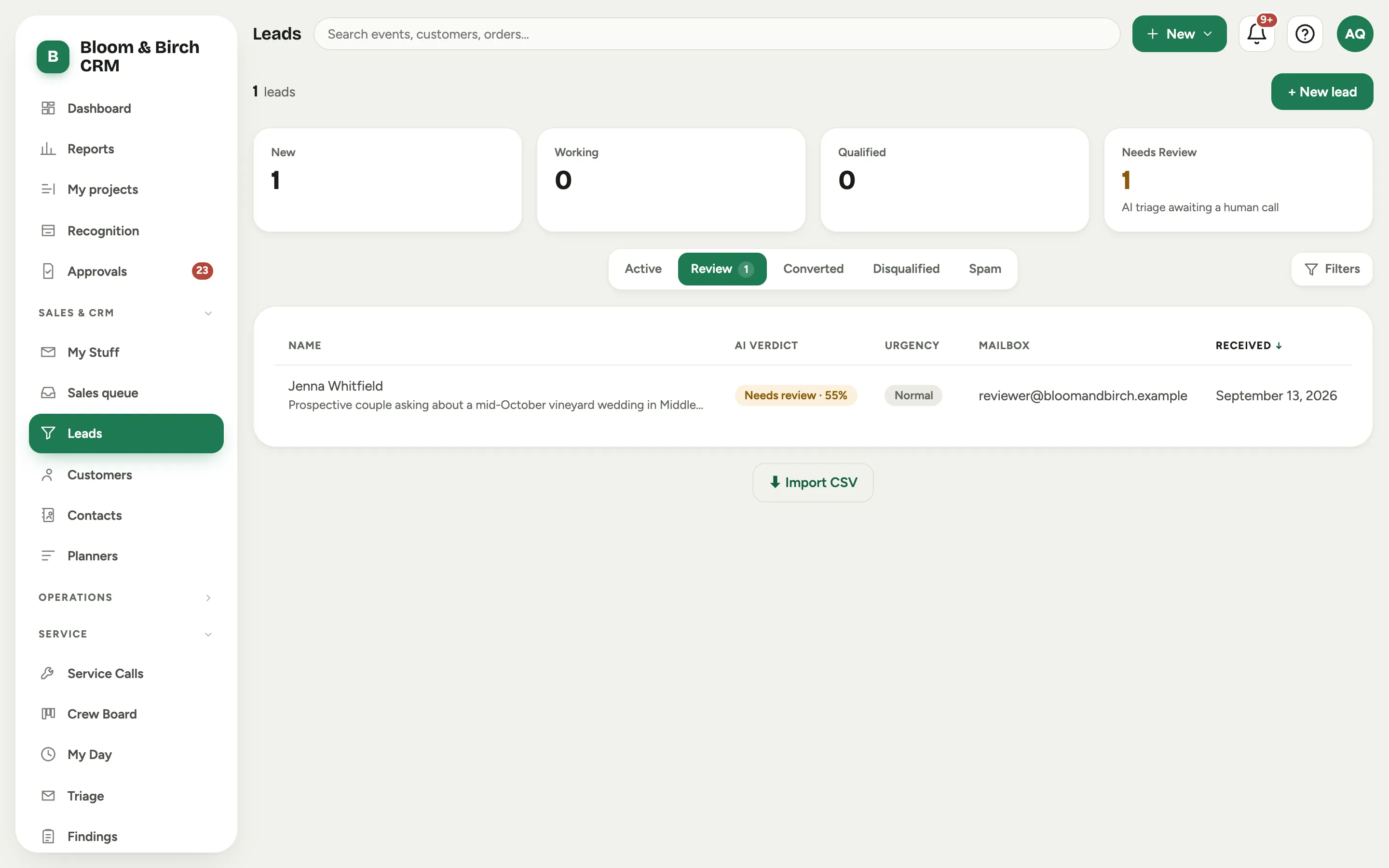 Screenshot from a demo workspace; data illustrative.
 -
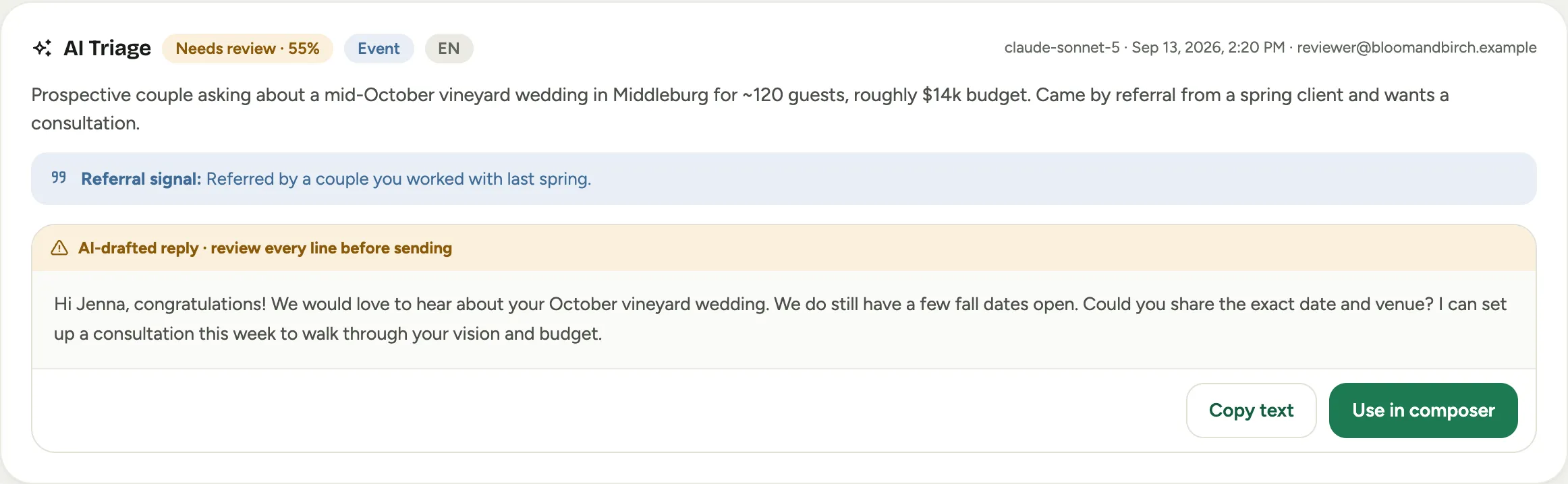
Open one. The AI Triage panel shows the verdict, a short summary of the message, any Referral signal it spotted, and, where it helps, a suggested reply.
-
Make the call. Confirm lead promotes the message to a real lead you can work. Attach to existing record files it on the customer or event it actually belongs to.
-
If you use the drafted reply, read every line first, then Use in composer to open it for editing or Copy text to paste it elsewhere. The draft is a starting point, never an outgoing message.
Set up Inbox Triage
Setup is an admin task, under settings.
-
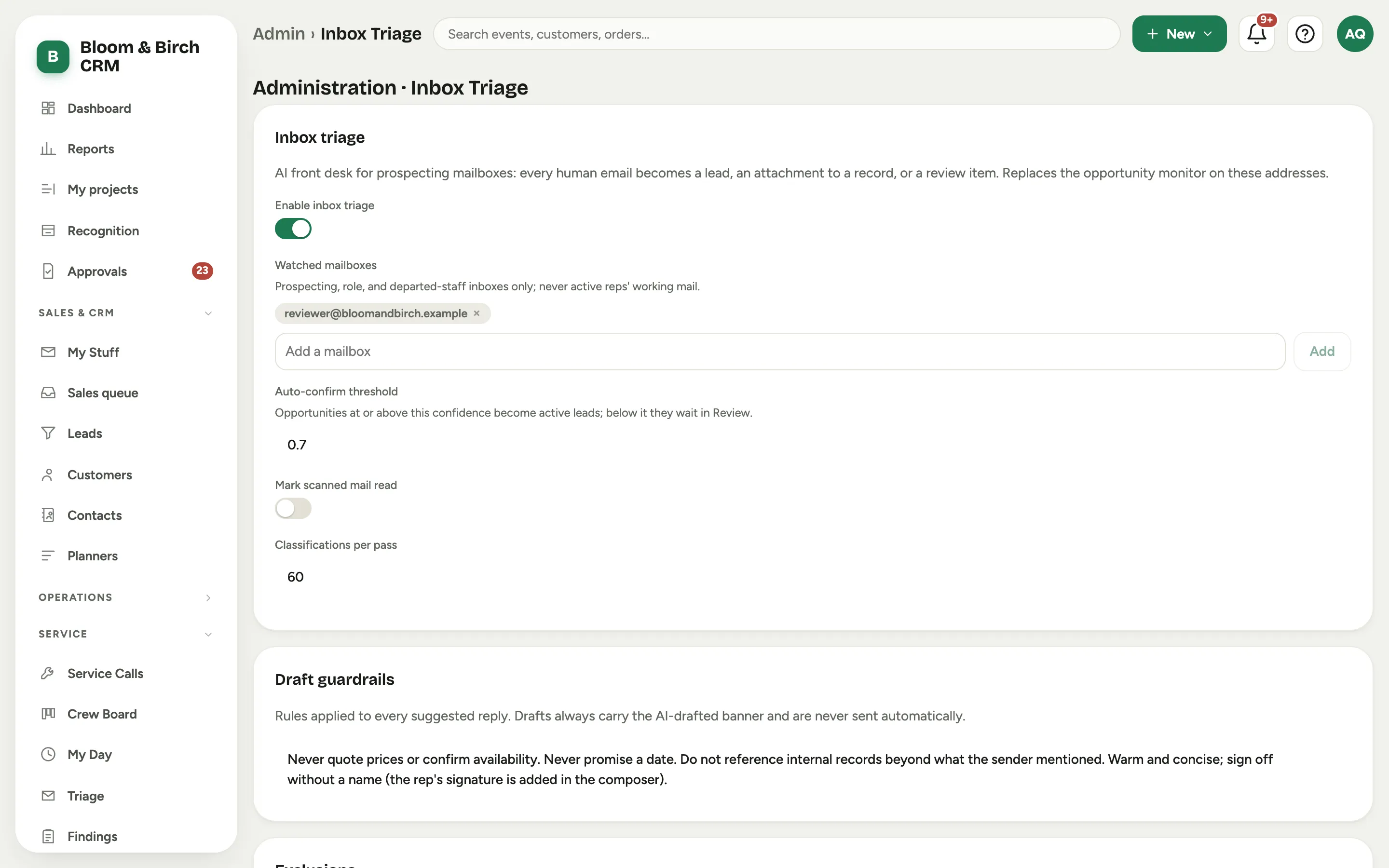
Go to Admin, then Inbox Triage and turn on Enable inbox triage.
-
Add the mailboxes to watch under Watched mailboxes with Add a mailbox. Only the mailboxes you list here are read; a personal inbox you leave off is never touched.
-
Keep noise out. Excluded senders drops automated streams that have their own intake, and Freemail domains tells the front desk how to treat generic addresses.
-
Tune how eager it is. The Auto-confirm threshold sets how sure the AI must be to file an email without review, Classifications per pass caps how many it handles at a time, and Mark scanned mail read decides whether it clears mail as it goes. Draft guardrails control the suggested replies.
Good to know
- The front desk never sends anything. Every suggested reply is a draft a person reviews and sends, which is the whole point of the review-before-sending banner.
- A lower Auto-confirm threshold files more on its own and leaves you a shorter queue; a higher one sends more your way. Start cautious and loosen it as you learn to trust it.
- Only the mailboxes on the Watched mailboxes list are read, so turning triage on does not reach into anyone’s personal mail.
- Where this fits: Leads and customers.