Tasks, follow-ups, and reply SLAs
Scheduling covers crew hours. This page covers the other kind of “don’t drop it”: the follow-up call, the vessel order, the client email sitting unanswered since Tuesday. Florio keeps those in two connected systems: tasks you create on purpose, and replies you owe that the platform tracks for you.
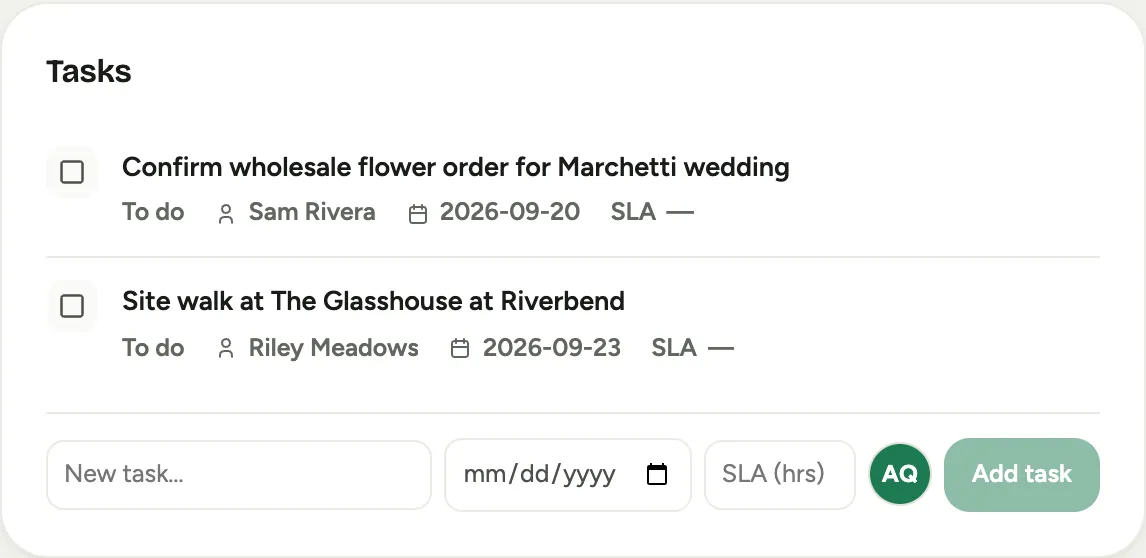 Screenshot from a demo workspace; data illustrative.
Tasks live on the record
A task is created where the work is: on the event, the lead, the client, the order. Type it into the activity composer’s Task tab or the Tasks card’s add row (on an event, the Tasks card sits on the Overview tab and the composer on the Activity tab), and it stays attached to that record, visible to everyone who opens it. Each task carries a status (To do, In progress, Blocked, Done), an optional due date, and an optional SLA timestamp.
Open tasks sort by whichever deadline comes first, due date or SLA, so an SLA breaching tonight outranks a task due next week. Tasks with no deadline settle to the bottom, and finished work drops below the line.

Delegation that actually notifies
New tasks default to you. Pick a teammate instead and Florio sends them a branded email with the task, the due date, and the record it belongs to, with a button that opens that record, and notes the assignment in the record’s activity log. Reassigning does the same. Assigning something to yourself stays silent, because nobody needs email from themselves.
Queues route the incoming work
Under Admin, assignment queues distribute work that arrives on its own: new leads get handed to sales reps round-robin or by load, production and delivery tasks flow to the right crew, and claimable queues let bench staff pull the next job themselves. Queues are optional automation. Small shops can ignore them and assign by hand.
Replies you owe
When a client emails and nobody answers, that is the follow-up that costs you a booking. Florio watches captured email threads and keeps a Replies you owe list on the Sales queue: who is waiting, for how long, and whose plate it is on. A real answer clears it automatically. A quick “I’ll get back to you” does not; it converts into a follow-through reminder instead. Each item can be snoozed a day or dismissed with “No reply needed.”
If you enable the digest, the people who owe replies get a morning summary and an afternoon nudge, and items still untouched escalate to their manager. Urgent breaches can also push to the phone during business hours.
Where you see it all
Your open tasks gather in two places: the Sales queue and the top of My Stuff. Wherever a task shows up away from its record, it names that record, the event or project number first, then its name and customer, as a link that opens it. The Dashboard counts your overdue tasks, idle rental carts, and replies owed, and each count links to the Sales queue where the work lives. Managers can flip either list from Mine to Everyone to see the whole team’s plate, with who has each task.