Prep a rental order for load-out
A rental order is not done when it is sold, it is done when the pieces come back fit to rent again. Prep is the stage that decides how the rest of that goes: what physically went out, and what condition it was in when it did.
Before you start
You need a Florio sign-in that can manage rentals. Viewing the boards is a lighter permission, so a florist or driver can see what is coming without being able to change it. A rental order appears on the board on its own, whether it came from a studio event or from a storefront booking, so there is nothing to create.
Steps
- Open Rental fulfillment and stay on the Prep stage. Each row is one rental order, with its Source, the Out date it leaves, and its Status.
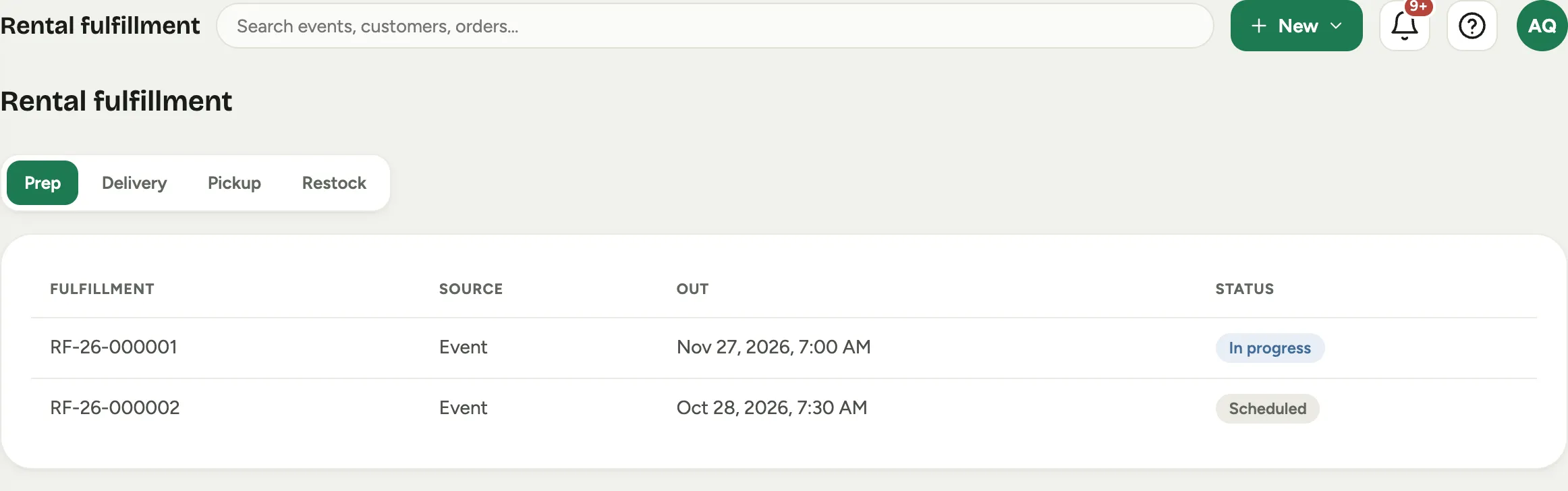 Screenshot from a demo workspace; data illustrative.
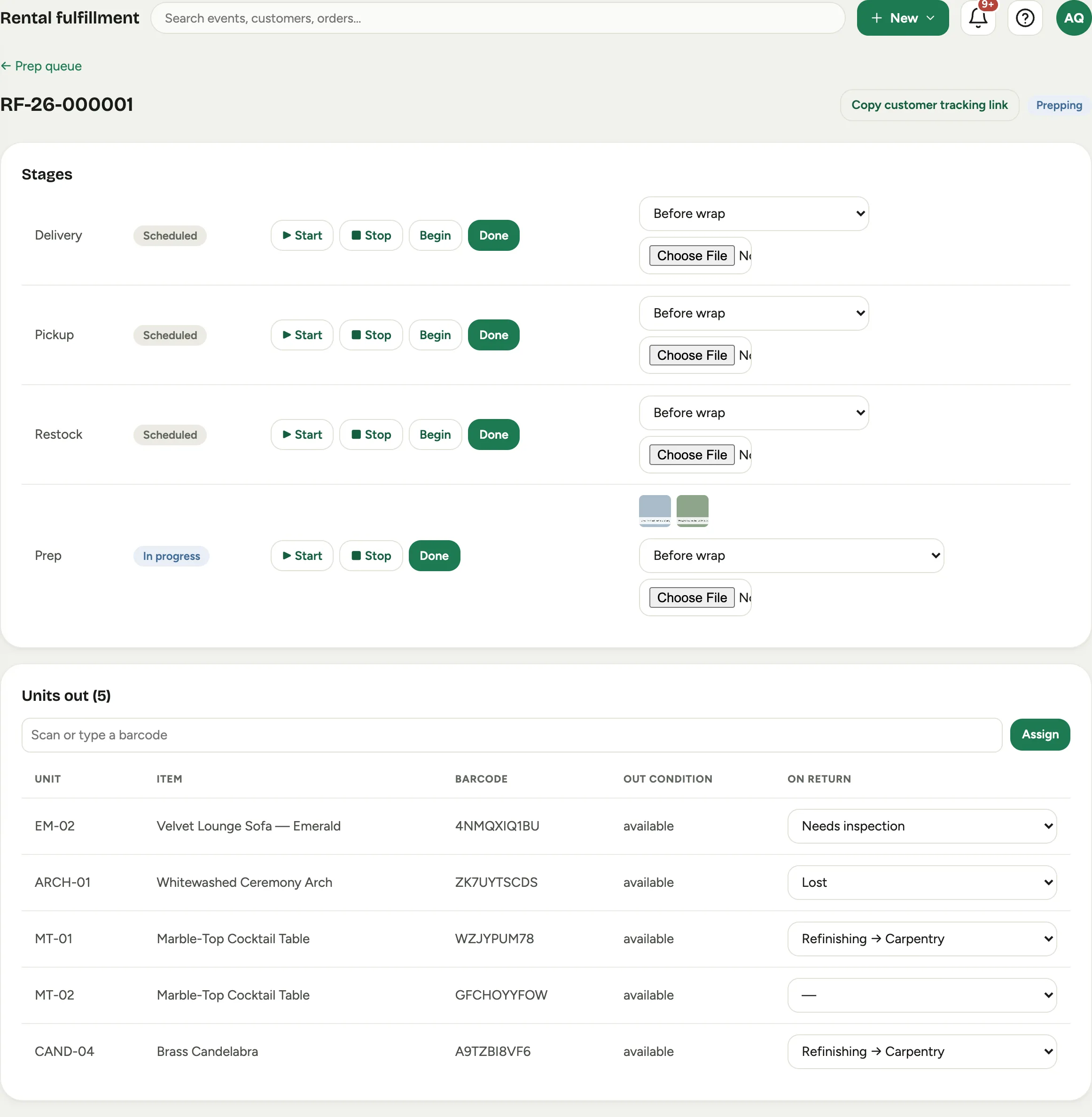
- Open the row you are working. The record has Stages at the top and Units out below it.
- On the prep stage, press Begin. The stage goes In progress, which is what tells the rest of the shop this load is being built.
- Press Start to put the clock on the work, and Stop when you break off. That time is the real labor cost of prepping a rental, which is otherwise invisible.
 Screenshot from a demo workspace; data illustrative.
- Scan the pieces on. Put the cursor in Scan or type a barcode, scan the label, and press Assign. Each one joins Units out with its Unit label, the Item it is, its Barcode, and the Out condition it is going out in.
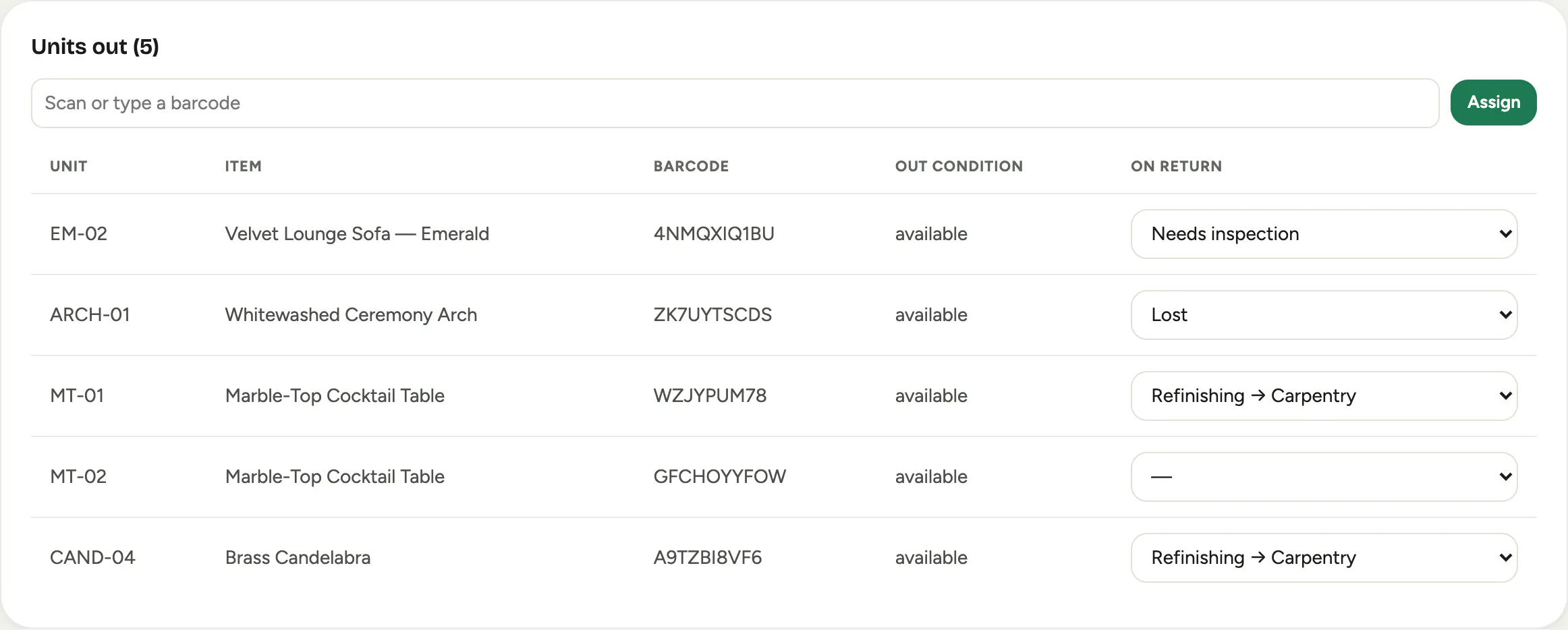 Screenshot from a demo workspace; data illustrative.
- Photograph the pieces. Each stage row takes photos, and prep takes two kinds: Before wrap, the condition before anyone touches it, and After wrap, how it left the building. Choose the kind, then pick the file.
- Press Done on the prep stage when the load is built and staged.
- If the customer wants to follow along, Copy customer tracking link gives you a link they can open without an account.
Good to know
- Scan the specific piece, not the item. Six identical chairs are one item but six units. The scan is what lets damage land on the chair that was actually damaged, and on the order that actually had it.
- The two photos are the whole argument. Before wrap protects the customer, After wrap protects you. Skipping them is what turns a return into a negotiation.
- The four stages are one journey. Prep, delivery, pickup, and restock each have their own status and their own clock, so a piece that is late back is visible as a stage rather than as a rumour.
- Storefront and event orders run the same pipeline. A booking a renter made on your public catalog shows as Storefront, an order for one of your own events as Event, and the board treats them identically.
- Checking them back in is in Check rentals back in and log damage.