What Florio numbers mean
Every record in Florio carries one permanent number: on its page, in searches, on the documents your clients see, and as the document number in QuickBooks. The number is short enough to read over the phone and says what it is at a glance.
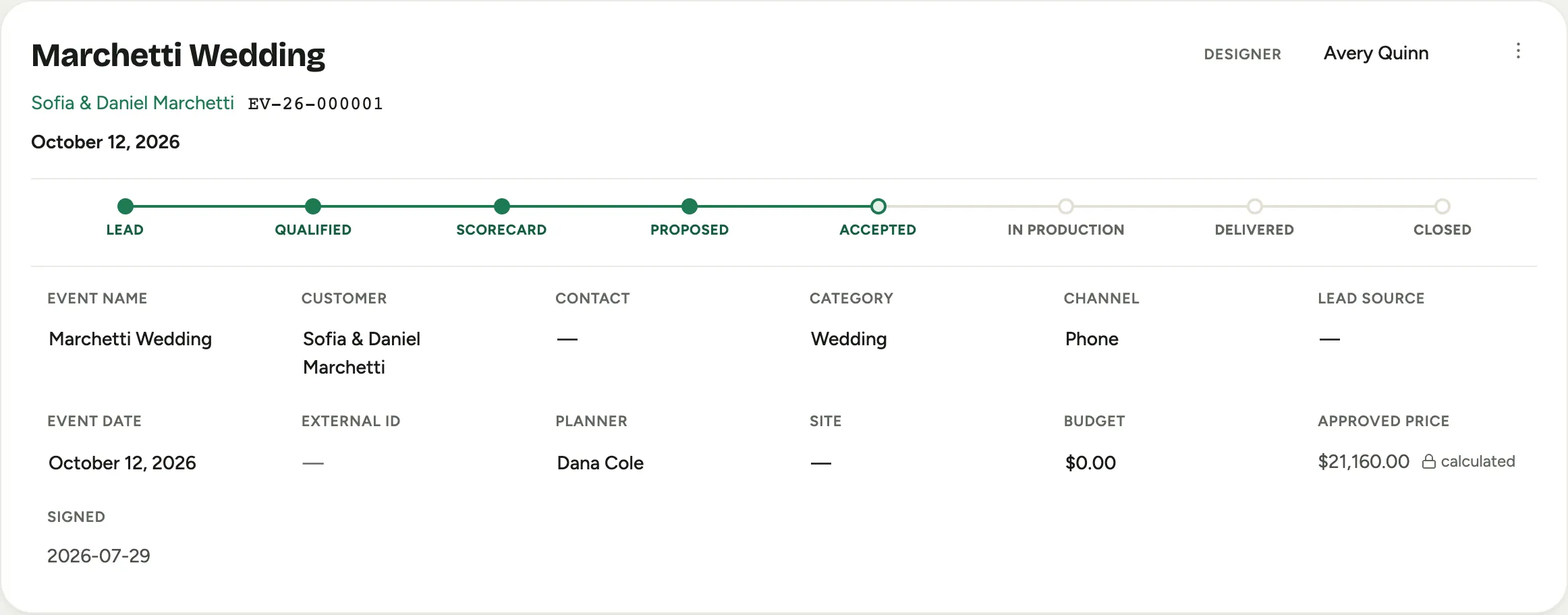 Screenshot from a demo workspace; data illustrative.
How a number reads
A number looks like EV-26-004914: a prefix for what kind of record it is, the
two-digit year it was created, and a sequence number.
| Prefix | Kind of record |
|---|---|
| EV | Event |
| OR | Order |
| R | Rental booking |
| RF | Rental fulfillment |
| PM | Plant-care contract |
| PL | Plant order |
| SO | Standing order |
| S | Service call |
| SC | Service contract |
So OR-26-000327 is an order from 2026, and PM-25-000112 is a plant-care contract from 2025.
Older numbers still work
If your workspace has history, you will have records whose numbers were minted under the
older, longer scheme. The sequence at the end never changed, so the record you knew as
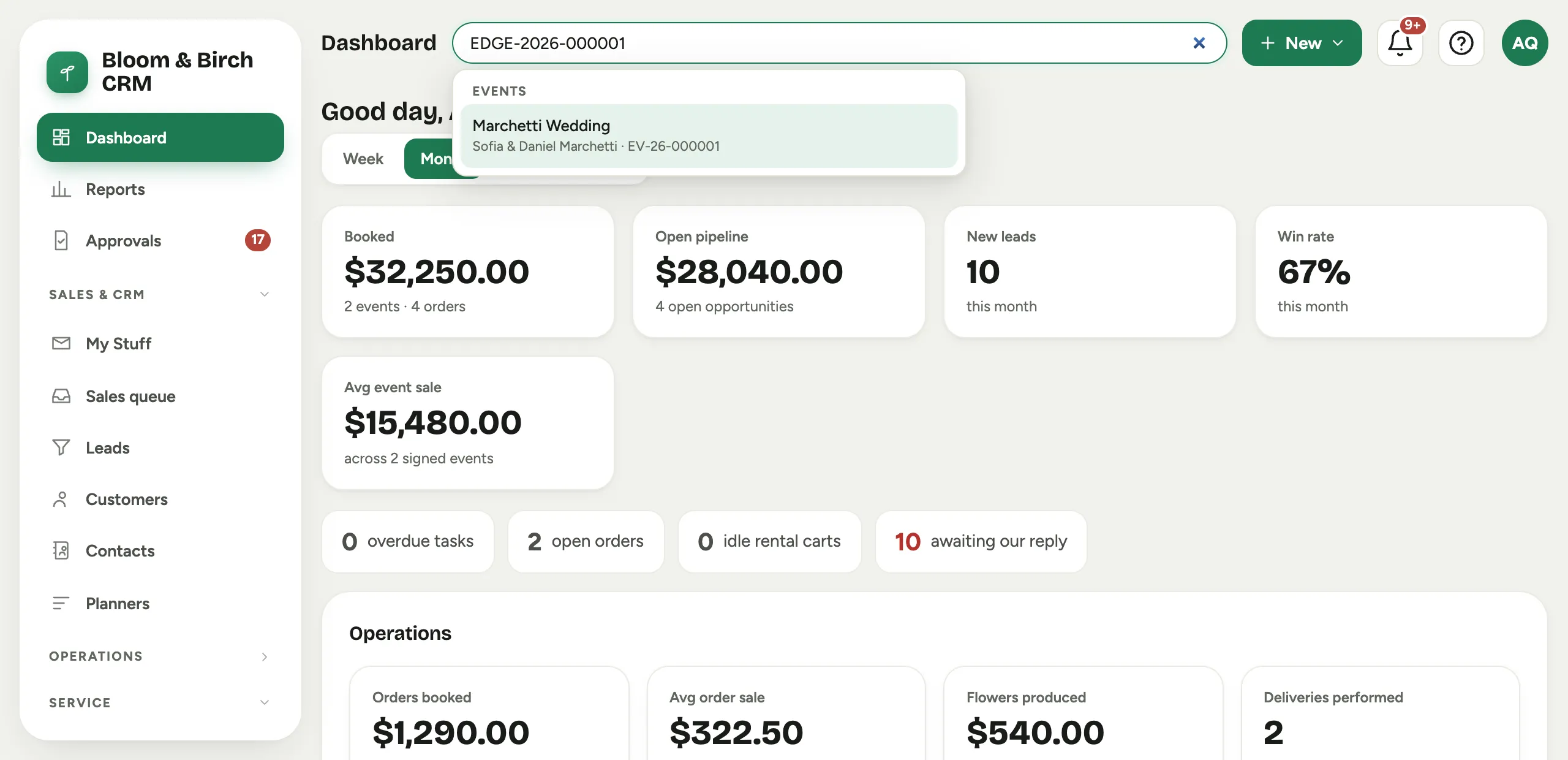
EDGE-ORD-2026-000327 is now OR-26-000327: same order, same sequence, shorter wrapping.
Two kinds of record changed a little more than that:
- Events, orders, rental bookings, plant-care contracts and standing orders already carried their year, and kept it. An order from 2014 still reads as a 2014 order.
- Rental fulfillments, plant orders, service calls and service contracts never had a year
in the number at all. They gained one, taken from the date the record was created. A
service call that used to be
SC-1now readsS-26-000001if it was raised in 2026.
Nothing about the old numbers breaks:
- Links keep working. Bookmarks and emailed links that used an old number still land on the right record, for every kind of record.
- Search finds the old number for events, orders, service calls and service contracts: type the old-style number into search and the record opens, showing its short form. Other records are found the way you would normally find them, by client, site or date.
- Your books do not change. Documents already in QuickBooks keep the numbers they were posted with; new documents post with the short form. Florio still recognises an old number written in a QuickBooks memo, so nothing you filed by hand comes unstuck.
 Screenshot from a demo workspace; data illustrative.
Where the number matters most
- Reading it to a person: “order oh-are twenty-six, three twenty-seven” is enough for anyone on the team to pull up the exact record.
- In QuickBooks: the number is the document number on everything Florio posts, which is how a document in the books and the record behind it always find each other. See Work with QuickBooks day to day.
- When you contact support: include the number and we are looking at the same record you are.
Changing a prefix or format
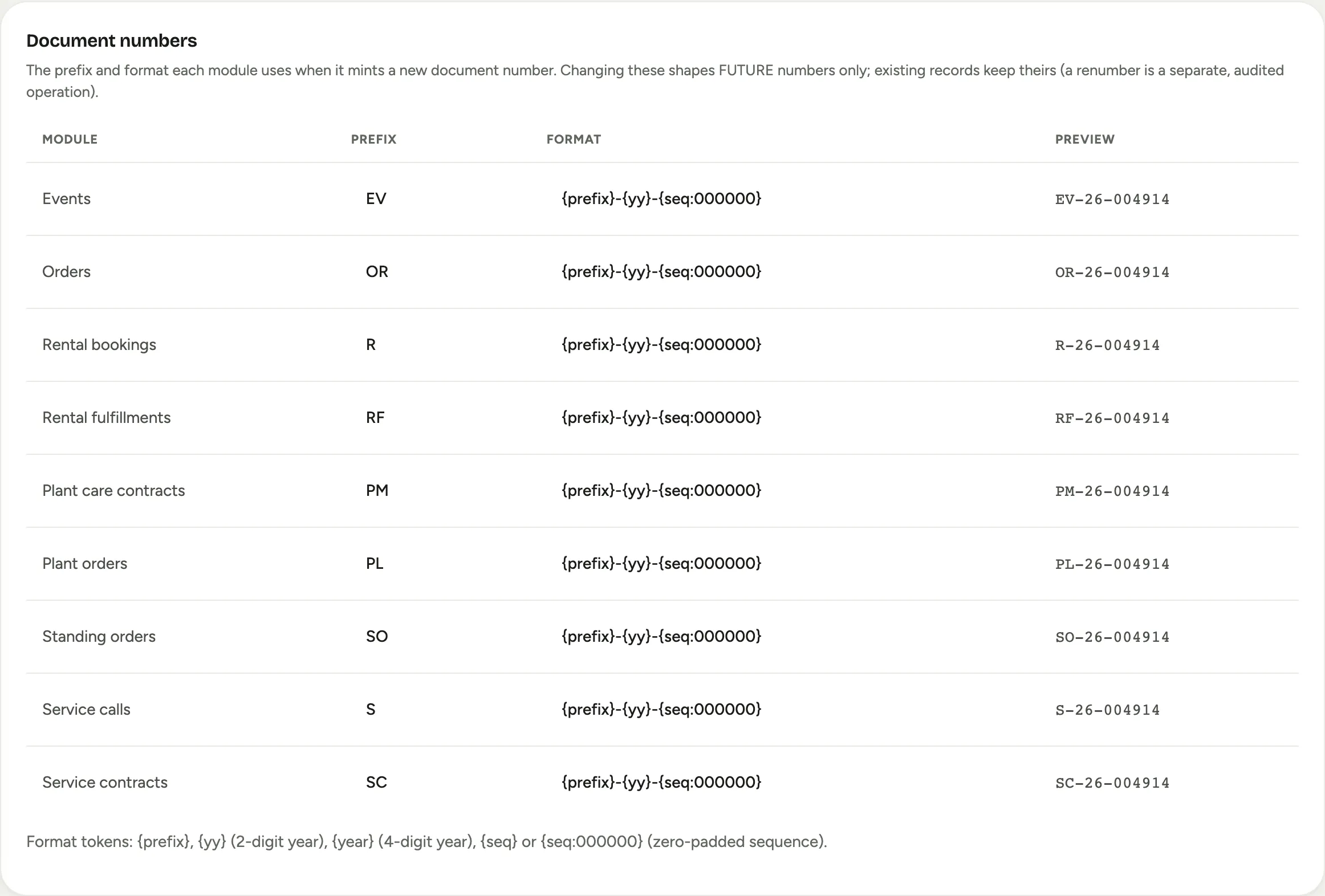
The prefix and format each module uses live in Admin, then Numbering, on the Document numbers card. Each row shows the Module, its Prefix, its Format and a live Preview of the next number, and every change is recorded in the activity log.
Changing these shapes future numbers only. Records that already exist keep the numbers they were given, so a change here never renames anything you have already sent, printed or posted to QuickBooks.
 Screenshot from a demo workspace; data illustrative.