Price labor by bodies
Not all labor is billed the same way. Design and production time is natural to price by the hour. But a breakdown crew or a setup team is often easier to think about as bodies: four people to strike the room, not some number of hours you have to estimate. The scorecard handles both.
Before you start
- You are on the event’s scorecard, in the Labor section of the Cost & hours worksheet. See Cost an event.
Steps
-
In the Labor section, find the crew rows priced by head, your breakdown and setup crews. Instead of an hours field, these take a count of people.
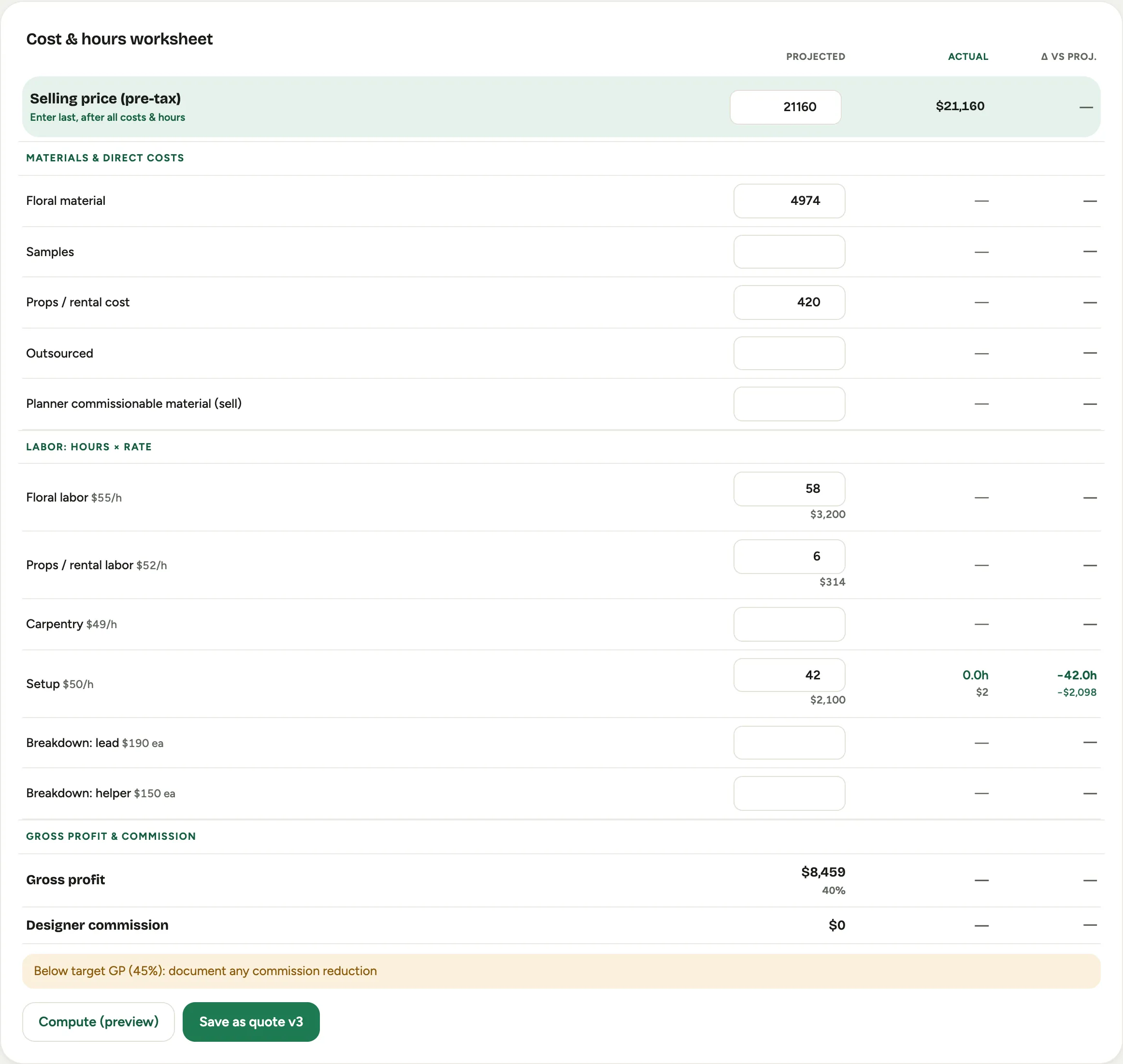 Screenshot from a demo workspace; data illustrative.
 -
Enter how many people. The row costs it at the per-head rate, showing the rate as a per-person amount and the count as person or people.
-
Keep the hourly rows for design and production time, where hours at a rate is the honest way to cost it.
Good to know
- Two ways, one worksheet. Whether a row is priced by the hour or by the head is set up for you per crew type, so you just enter the number that fits: hours for design, bodies for breakdown.
- The per-head rate is yours. Like every rate in Florio, the amount each crew member costs is your studio’s configured number, not a value baked into the app.
- Where this fits: The margin scorecard.