The margin scorecard
Most event software prices from markup: pick a number that feels right and hope it holds. Florio validates margin, not markup. You enter what the work actually costs first, and the selling price is checked against your target before a proposal can go out. It is the single idea that ties the whole platform together, and it lives on every event as its scorecard.
The scorecard is not a pricing calculator that tells you what to charge. It is a validator: you decide the price, and it tells you whether that price clears the margin your studio needs. This page walks the worksheet, the gate, and the after-the-fact comparison.
The cost and hours worksheet
The scorecard is built from the bottom up. On the Cost & hours worksheet you enter what the event takes to produce, and the price last.
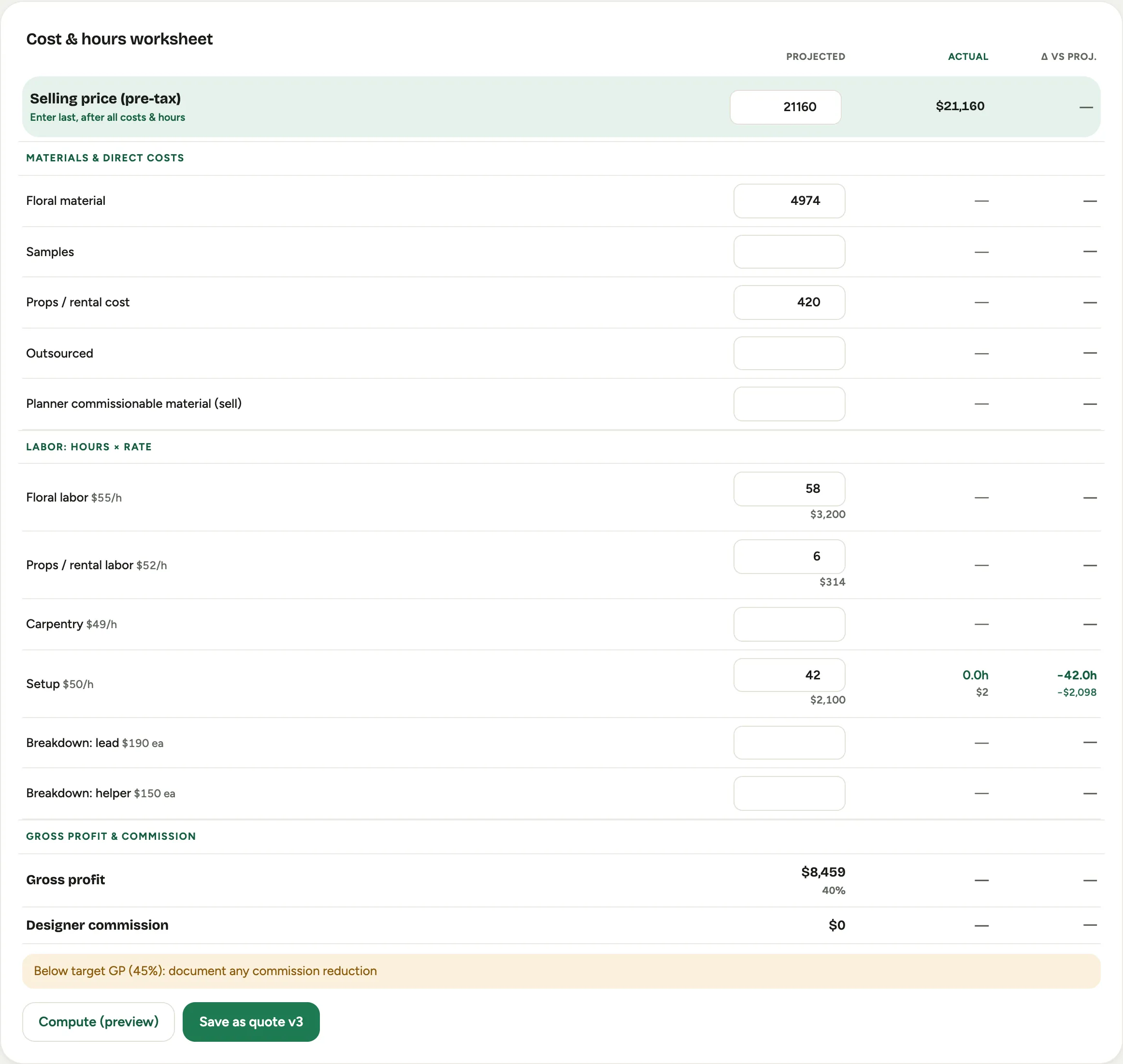 Screenshot from a demo workspace; data illustrative.
- Materials & direct costs is your real product cost: floral material, samples, props and rental cost, anything you buy for the job.
- Labor is your crew, entered two ways. Design and production time is priced in hours at a rate; breakdown and setup crews are priced by headcount, where you enter how many people, not how many hours. See Price labor by bodies.
- Selling price (pre-tax) goes in last. Its hint says so plainly: enter it after all the costs and hours, so the margin is a fact you can see, not a number you hoped for.
The Gross profit & commission summary then shows the gross profit, the margin percentage, and the designer commission. Costing an event step by step is in Cost an event.
The margin gate
Set the margin your studio needs, and the scorecard holds anything that comes in under it. The worksheet flags a price that falls short, telling you by how much, so you can raise the price, trim the design, or make a deliberate exception with your eyes open.
The gate is enforced through Quote versions, where the scorecard price is approved: Submit sends a price for approval, Approve clears it, and only an approved price can carry a proposal out the door. Nothing quietly goes out below the line and turns into a surprise in the spring. Setting the target is covered in Set your target margin.
Projected versus actual
Because the calendar, the time clock, and the books are the same system, the margin you proposed can be measured against what actually happened. Once an event is over and its real numbers are in, the scorecard shows Projected against Actual, with the difference in a Δ column.
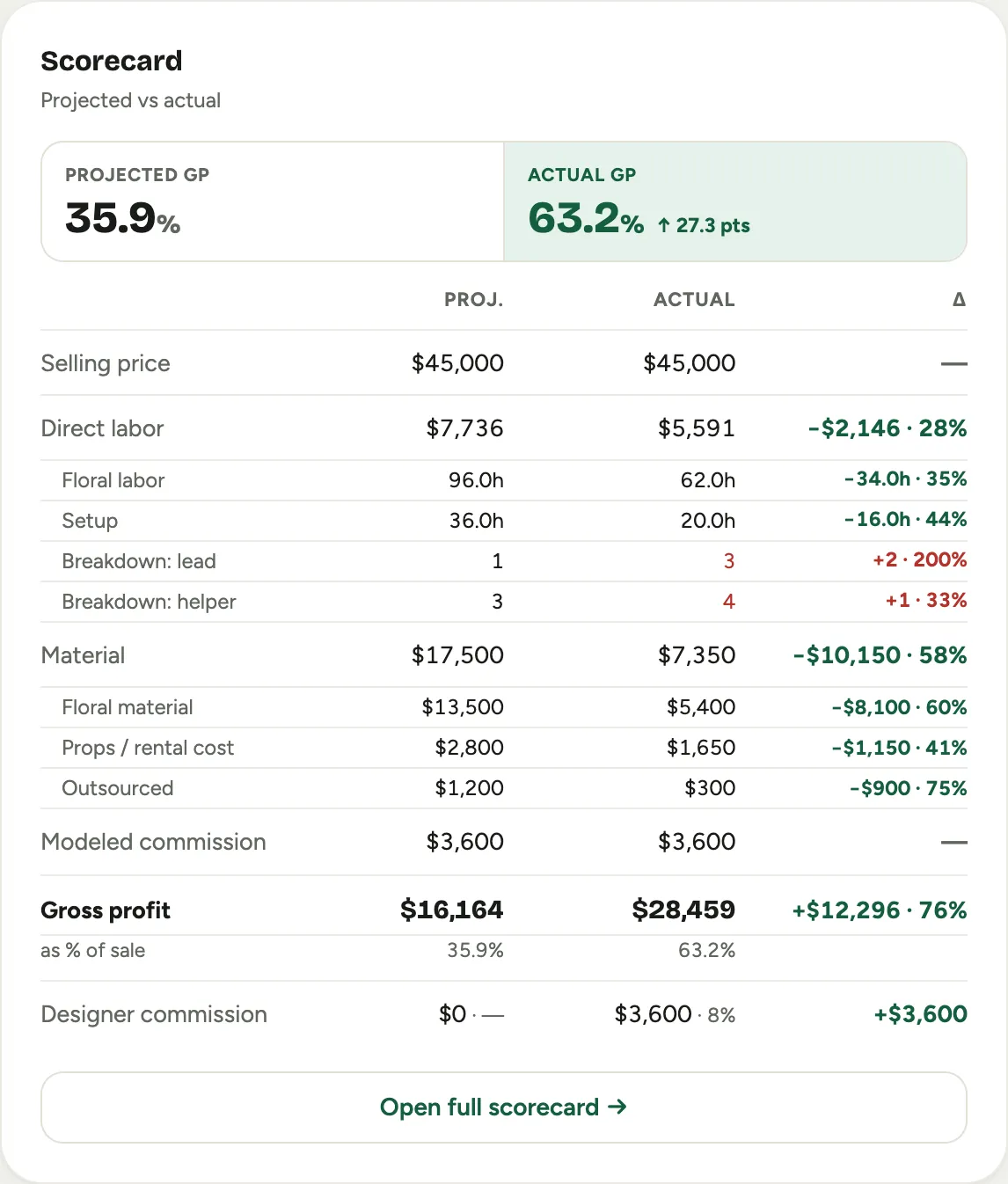 Screenshot from a demo workspace; data illustrative.
The actuals come from the same platform doing the work: labor from the time clock, costs and revenue from the books once QuickBooks is connected. Over-plan costs and missed revenue are colored as unfavorable, favorable swings the other way, so you see at a glance where the job drifted. That honesty after the event is also why commissions can run on actuals; see How Florio works with QuickBooks Online and Read projected versus actual. On the event record, the same numbers appear as a compact panel with a Selling, GP, and Comm. summary.