Track planners and their commission
Event planners are not customers, they bring you customers, so Florio keeps them on their own list with the two things that matter for working with them: who is allowed to talk to the client, and what they are owed.
Before you start
- A planner is separate from the customer and the contact. Add the planner here, then tag them on the events they refer.
- Decide your communication rule for each planner up front, since it changes who your team emails.
Steps
-
Open Planners and click New planner. Enter their name, company, contact, phone, and website.
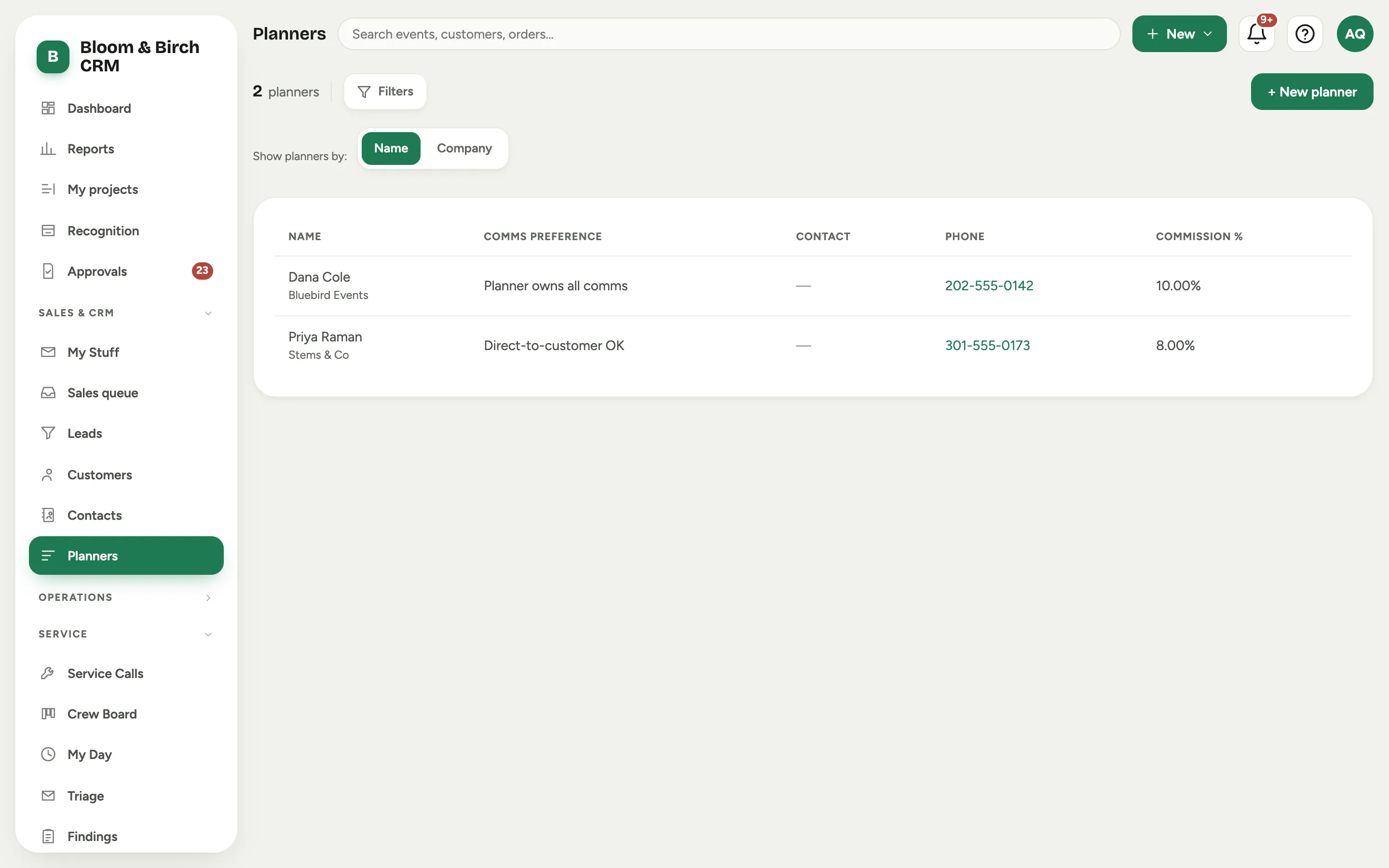 Screenshot from a demo workspace; data illustrative.
 -
Set the Comms preference, which decides who speaks to the customer:
- Planner owns all comms keeps your team talking only to the planner.
- Invoicing only means the planner handles the client except for billing.
- Direct-to-customer OK lets you work with the client directly.
-
Set the planner’s Commission % and, if they bill on a standing arrangement, a Default payment cadence.
-
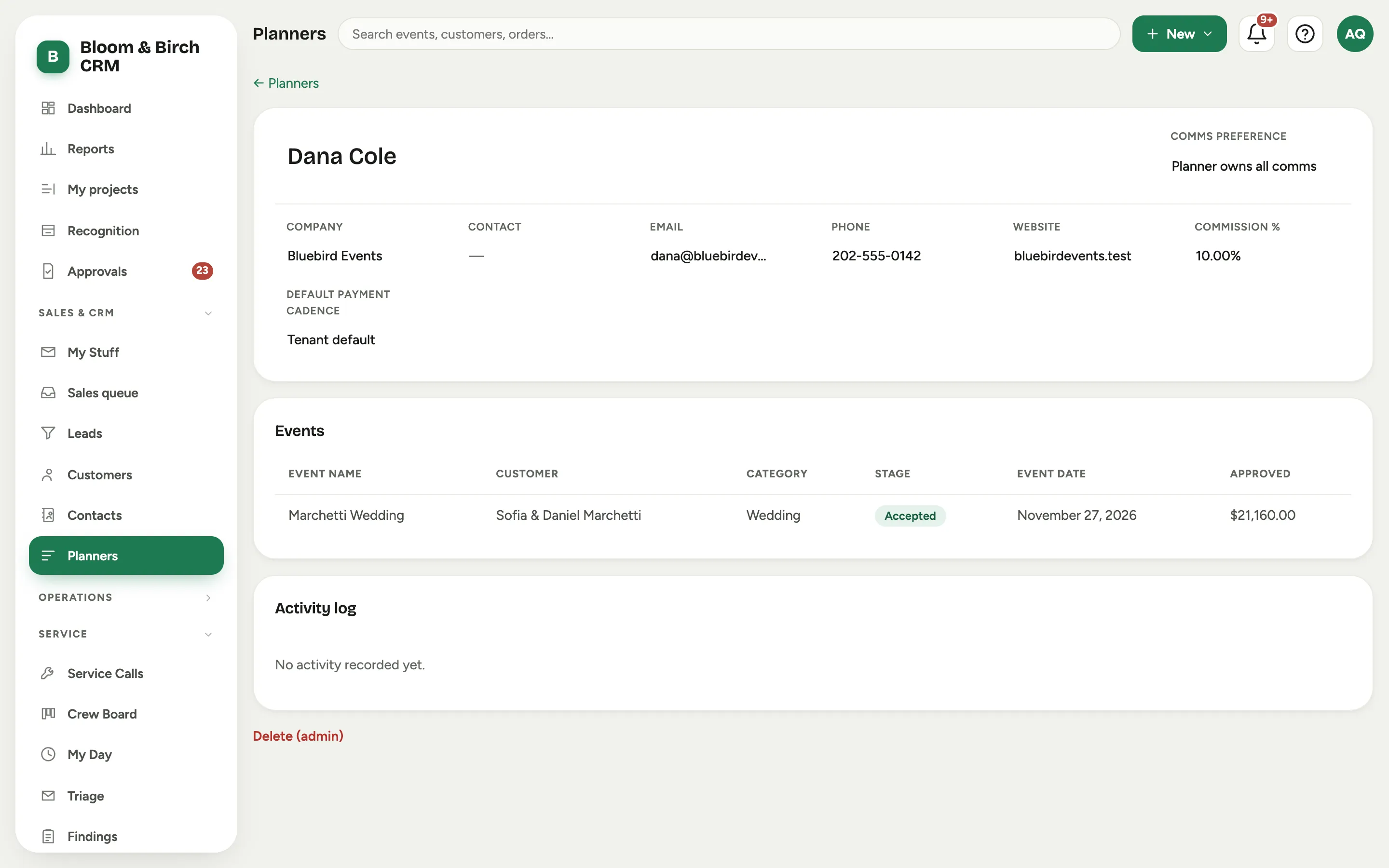
Tag the planner on the events they bring you, from each event’s record. Those events then appear on the planner’s page.
Good to know
- Use the Show planners by chips to list planners by Name or by Company, whichever way your team thinks of them. It is a preference for the whole workspace.
- The Comms preference is a reminder, not a lock. It tells your team the ground rules a planner set, so nobody emails a client the planner asked to shield.
- Each planner’s page gathers the events tagged to them, so at reconciliation time the commission and the work that earned it are on one screen.
- Where this fits: Leads and customers.