Work a customer's record
The customer record is where everything about one relationship comes together: every event, order, and rental you have done, their lifetime billing, and the few settings that decide who owns them and how they are invoiced. This is the screen you open before a call.
Before you start
- Anyone who can see customers can read the record and edit its basic facts.
- The Financials and Customer Profitability panels carry money, so they only appear for people with the finance permission. If you do not see them, that is by design.
Steps
-
Open a customer from Customers, or arrive on it straight after converting a lead.
-
Set the facts in the header. They edit in place: mark the customer Active or Inactive, set the Type to Individual or Company, and choose the Primary sales rep and the Default payment cadence that new work should inherit.
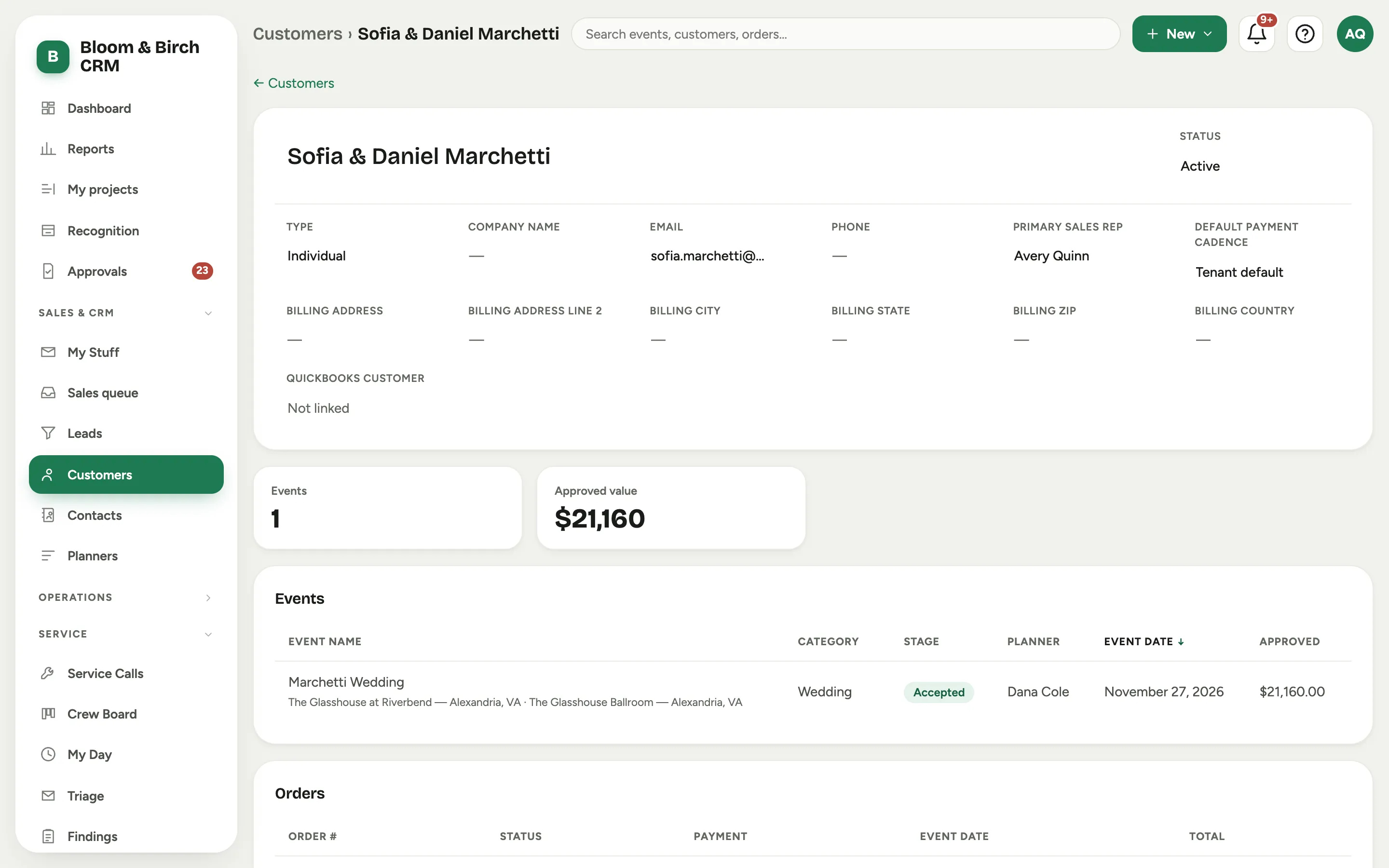 Screenshot from a demo workspace; data illustrative.
 -
Read the history. The Events, Orders, and Rentals cards list everything booked under this customer, each row linking to its own record. The two stat cards up top sum it up: how many Events, and their Approved value.
-
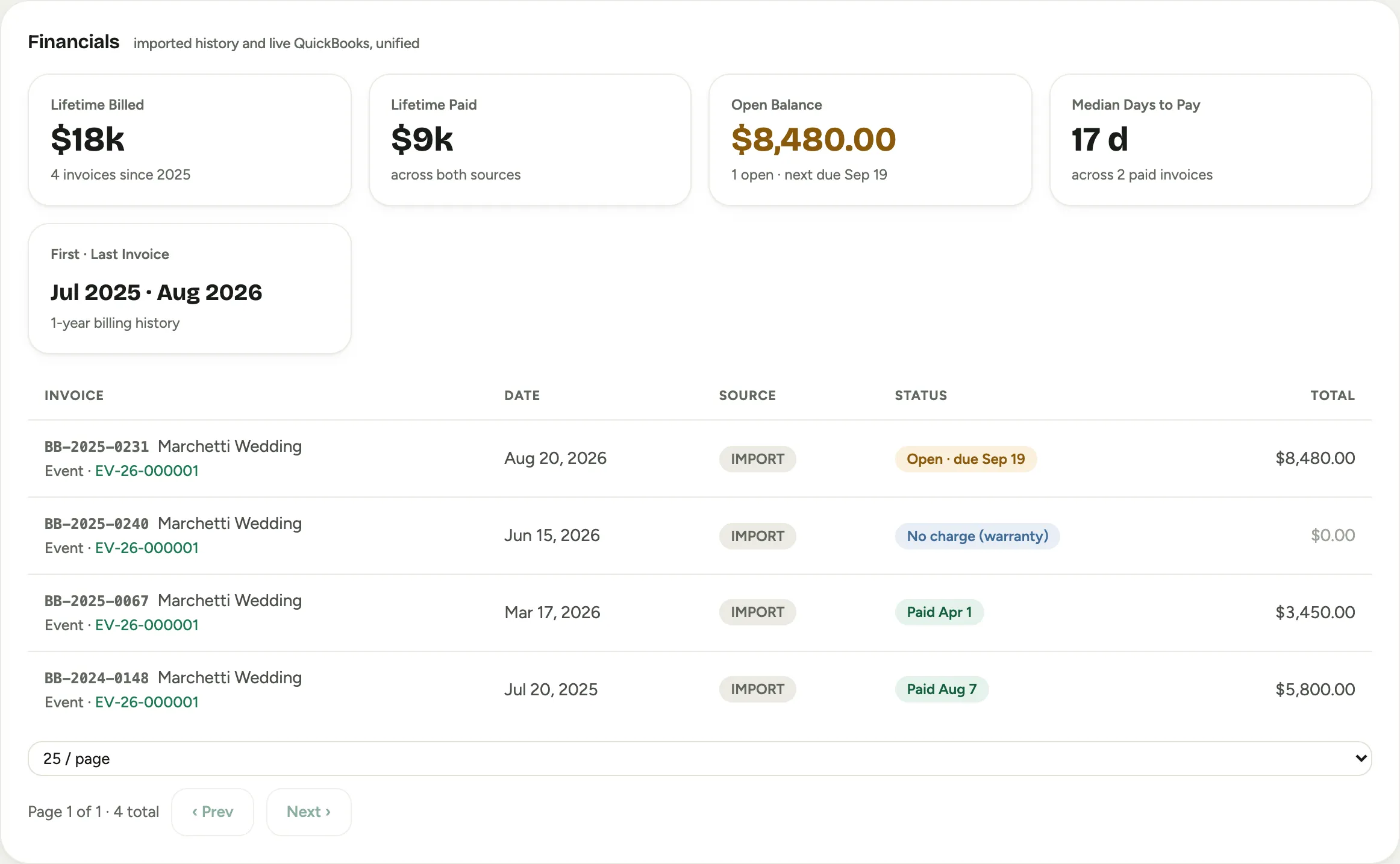
Check the money. Financials rolls invoices into lifetime totals, Lifetime Billed, Lifetime Paid, Open Balance, and Median Days to Pay. Switch the range between 12 Months, YTD, and All Time. Customer Profitability breaks revenue and margin down by line of business, so you can see which kind of work this customer is worth most on.
-
Keep the people and the reminders current with Related people and Important dates (see Add contacts and important dates).
Good to know
- Where QuickBooks is connected, the QuickBooks customer field links this record to the right customer there, which is what lets the billing history show. That is a matching step, not a sync you have to run; see Match a customer to QuickBooks.
- Approved value counts the value of accepted work, so it is a truer picture of the relationship than a raw event count.
- Setting the Primary sales rep and Default payment cadence on the customer saves repeating them on every future event and order, since new work inherits them.
- Where this fits: Leads and customers.