Sell and track a service contract
A service contract is a coverage plan: a customer pays a set price over a term, and the calls they make are absorbed by the plan instead of billed one by one. This is how you sell one and keep an eye on whether it pays.
Before you start
Florio Service must be on, and you need the contract permission to create and edit contracts. Seeing a contract’s profitability also needs the margin permission.
Steps
- Go to Contracts and choose New Contract.
- Pick the Client and the Site the plan covers, name the plan, and set the Billing Cadence (annual or monthly), the Price, and the term with a Start and End.
- Set who sold it under Sold By, and turn on Auto-Renew if the plan should roll over. Choose Create contract.
- From then on, when you open a call at that site, set its Contract and its billing to the plan (see Take a service call). The call bills at no charge to the customer, and it shows up under the contract’s Covered Calls.
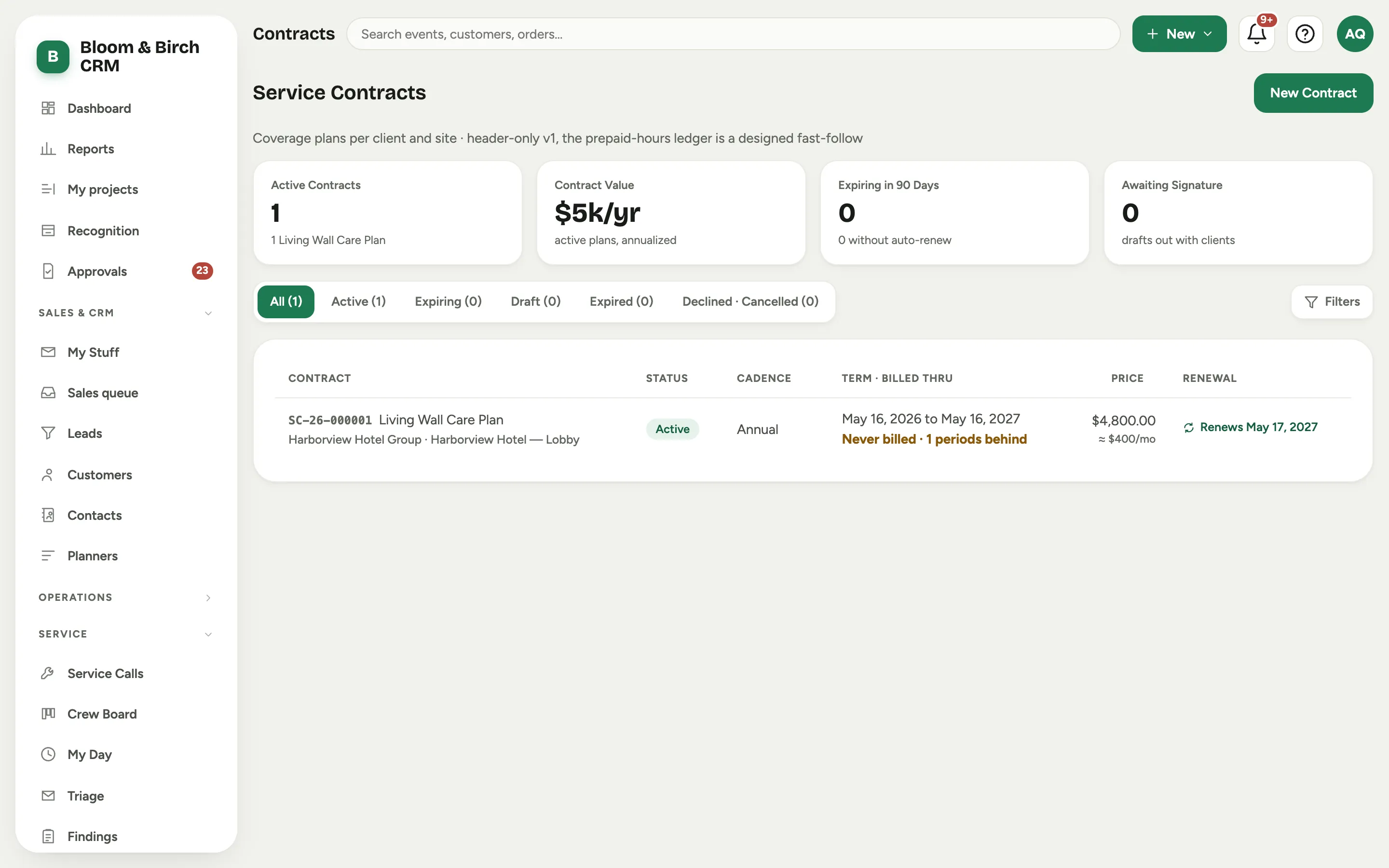 Screenshot from a demo workspace; data illustrative.
Track profitability
The contract record shows Contract Profitability: the plan’s full-term price against the cost of the calls it has absorbed so far (parts at cost plus loaded labor), with the margin and how much you have earned against the price as the term elapses. It is the honest read on whether a plan is priced right.
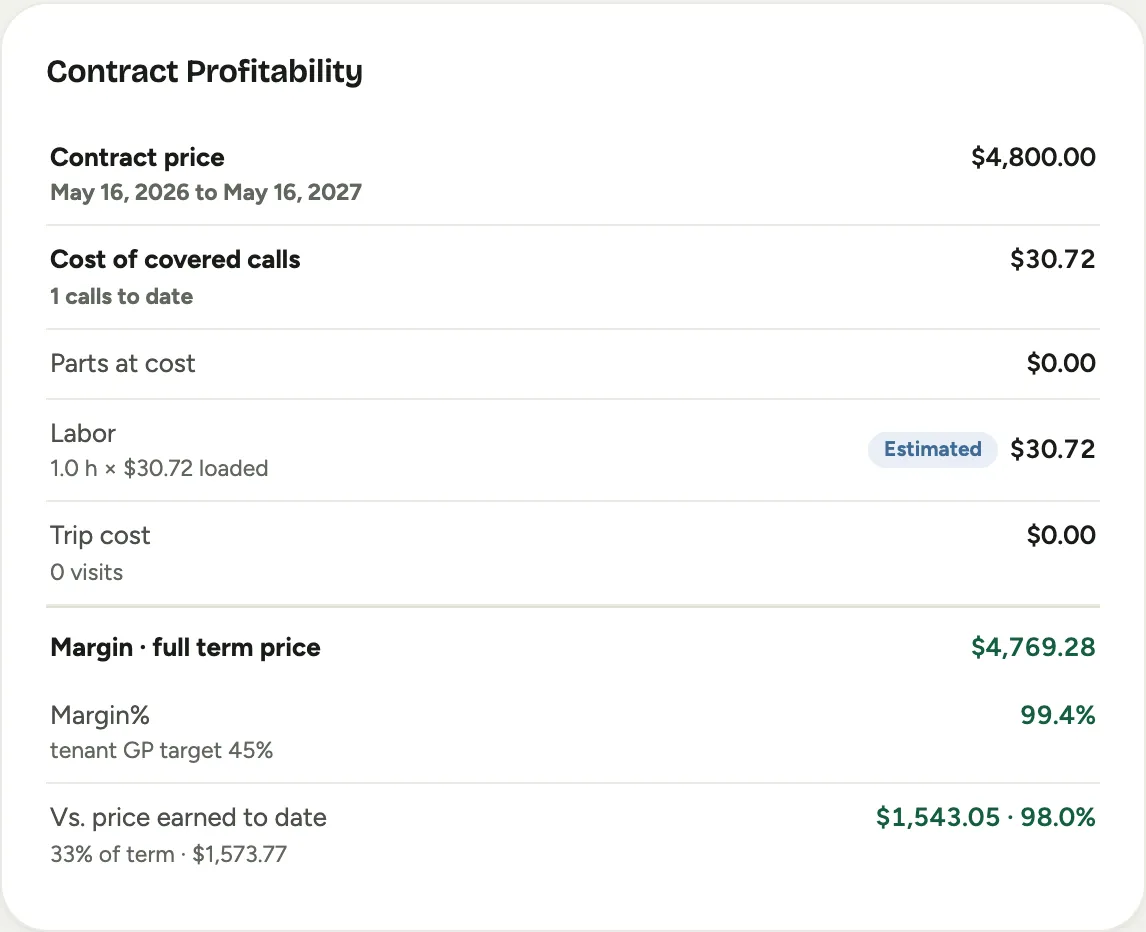 Screenshot from a demo workspace; data illustrative.
Good to know
- Contracts are header-only in this version: one price and one term per plan. The prepaid-hours ledger is a planned follow-up.
- Labor is costed at your current loaded rates (pay rate plus burden), not period payroll, so the profitability figure is an estimate you can act on today, not a closed-book number.