Native apps & boards
Most of a studio’s work happens away from a desk: in the cooler, in the van, on the warehouse floor. So Florio ships real native apps across the Apple devices your team already carries, not a website squeezed onto a phone. The office and the field see the same live data.
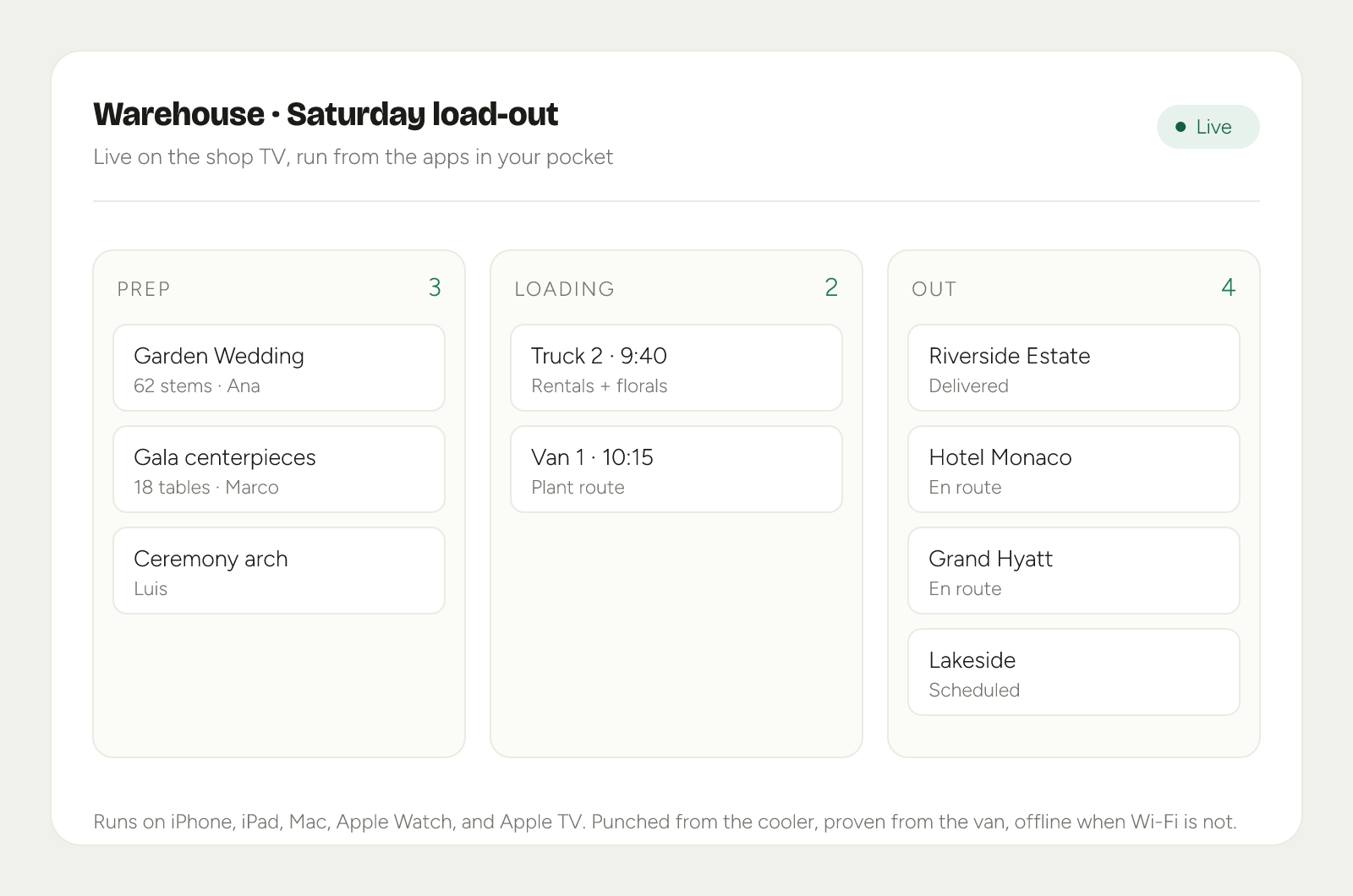 Product mockup; data illustrative.
Phones in the van
The app in a driver’s pocket runs the day on the ground:
- The route, in order, with the next stop and its time up top.
- Proof at the door. A photo and a timestamp land on the client’s timeline, so “where are my flowers?” is answered in one look.
- Works offline. Coolers and loading docks lose Wi-Fi; the app keeps working and syncs when it is back.
Watch punches
Crew clock in and out from an Apple Watch, right where the work is happening. Those hours are the same hours the margin scorecard and your commissions run on, so time tracking is not a separate chore that someone has to reconcile later.
Approvals in your pocket
A proposal submitted for review reaches you wherever you are: in the Approvals queue on phone, iPad, and Mac, on the Today screen, and as a notification that shows even while you are working inside the app. Opening one gives you the whole document, not a summary: every line with its ingredient and labor costs, the designer’s internal notes, rental availability, and the live margin scorecard, with Approve, Reject, and Cancel submission one tap away. On iPad and Mac the numbers sit in a rail beside the document, so you read the proposal and watch the margin at the same time.
Small revisions move even faster. When a new version of an already approved proposal comes in, the notification itself shows the old and new totals and how the margin moved, and a quick yes is a press and hold on the notification, phone or watch, without opening the app.
The Crew board on iPad
The Crew section lays a day out as one lane per person, each scheduled block a card, with unassigned work in its own lane. Drag a card between lanes to reassign the work, or pull one out of Unassigned to hand it out; if someone is already committed at that time, Florio asks before double booking them. Each lane totals its allocated hours, so who is loaded and who is free reads at a glance.
Boards on the shop TV
Put an Apple TV in the workroom, the warehouse, or the office, and the day runs itself on the wall. Florio ships a catalog of boards, and each screen rotates through the ones you choose on a playlist you control, so the morning meeting is just everyone looking the same direction.
- Schedule is the crew monitor: who is on what, right now.
- Deliveries tracks what is out for delivery and what is still loading.
- Prep is the fulfillment queue, with each item’s delivery date.
- Showroom is a full-screen photo loop from your library, for a lobby or a client visit.
- Morale celebrates the team: just-booked work, recent wins, and birthdays, with no dollar figures.
- Today’s Events lays out the day’s events with their times, every venue, the crew and their hours, and the value.
- Executive boards chart today, the pipeline, and revenue for a private office.
Screens come in two tiers. Ops displays show crew boards only and never any money, so they are safe for a workroom or a lobby. Executive displays can show revenue, pipeline, and event values, so you pair those only in a private office or conference room. A board that carries dollars is only ever sent to an executive screen.
You manage all of this in Admin, then Displays: pair a new TV by typing the code it shows on screen, name each display, build its playlist, and revoke, restore, or remove a screen as your setup changes. The step-by-step is in Set up a TV or display board.
This pairs with the apps page on the marketing site, which will carry device screenshots and store links as they become available.