What the customer sees on a Summary of Findings
The customer meets a Summary of Findings in two ways: on the technician’s tablet at the end of the visit, or from an emailed link. It is the same page either way, and it lives for the life of the request. This page shows what they see, state by state, and the emails that go with it.
The page, before anything is approved
A title, two or three sentences and one price per finding. No parts, no hours, no rates, in any state. When it is on the technician’s tablet, a caption at the top says so.
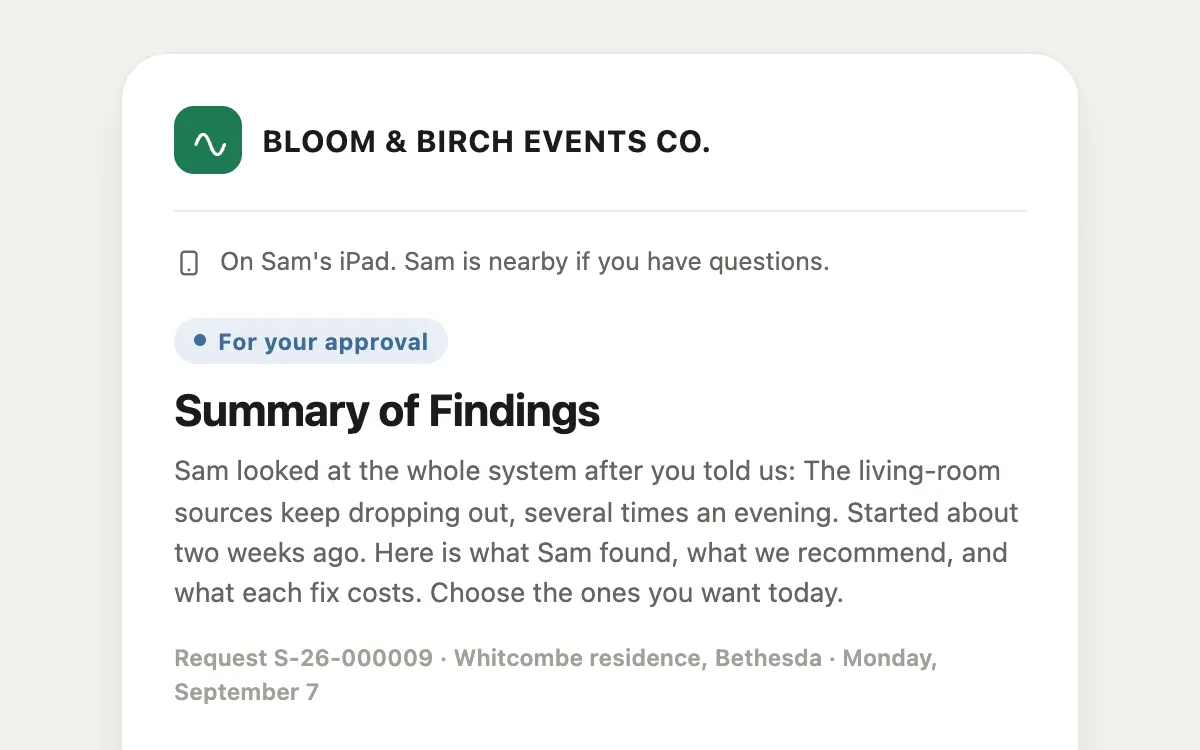 Screenshot from a demo workspace; data illustrative.
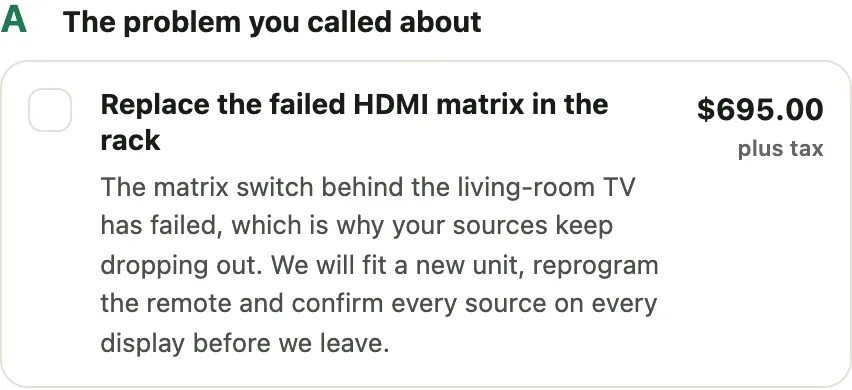
The problem you called about is the fix for what they reported. It always has a price.
 Screenshot from a demo workspace; data illustrative.
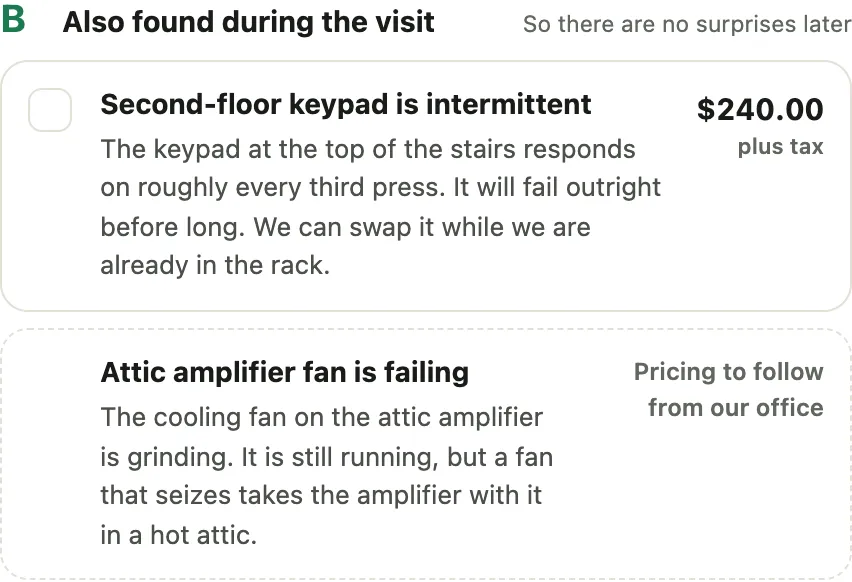
Also found during the visit holds everything else the technician found. A finding the office is still pricing reads Pricing to follow from our office and has no box until it is priced.
 Screenshot from a demo workspace; data illustrative.
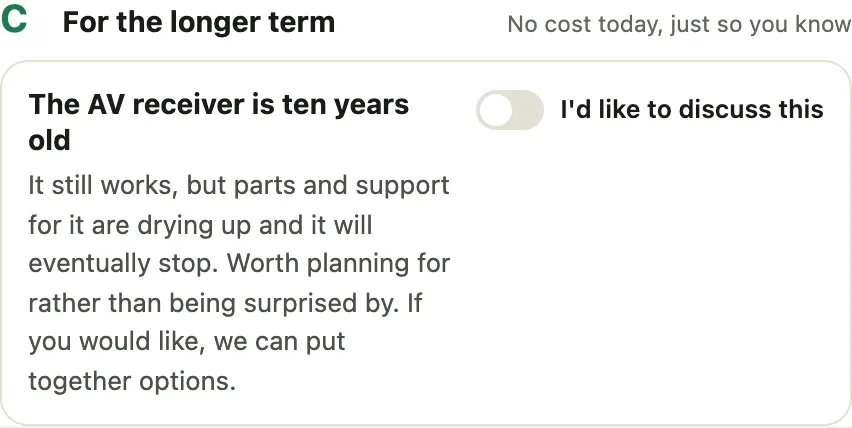
For the longer term is advice with no price. It has a switch, I’d like to discuss this, instead of a box. Turning it on raises a lead for the sales team and never charges anything.
 Screenshot from a demo workspace; data illustrative.
Below the findings, the money: Approved work, Diagnostic visit, Sales tax and Total today. The tax line reads “Sales tax” and nothing else. Ticking a finding updates all four; nothing is charged until they approve.
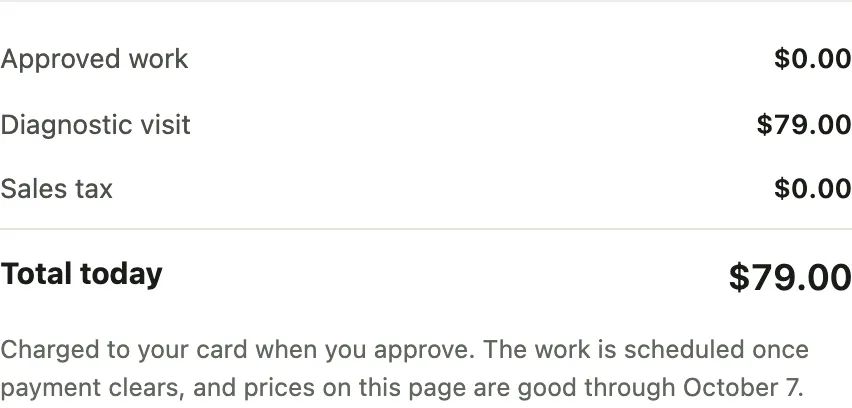 Screenshot from a demo workspace; data illustrative.
Then the card. The card on file is offered first; Use a different card opens a card field so the customer types the number themselves and nobody on your side sees it.
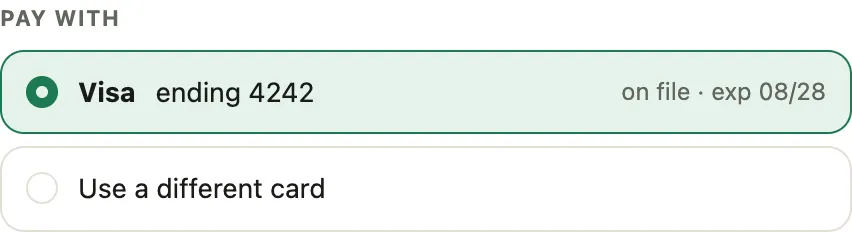 Screenshot from a demo workspace; data illustrative.
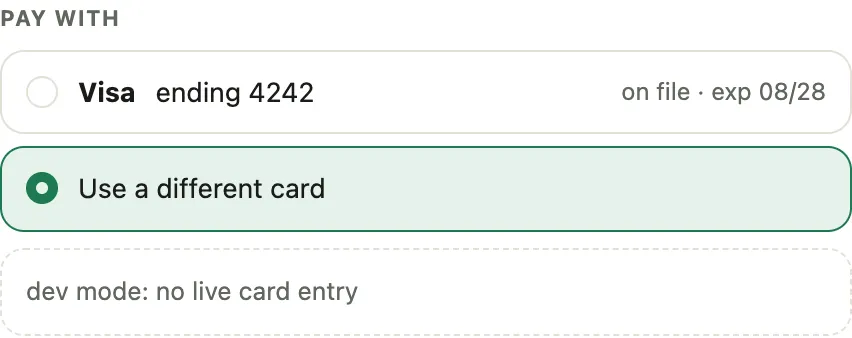 Screenshot from a demo workspace; data illustrative.
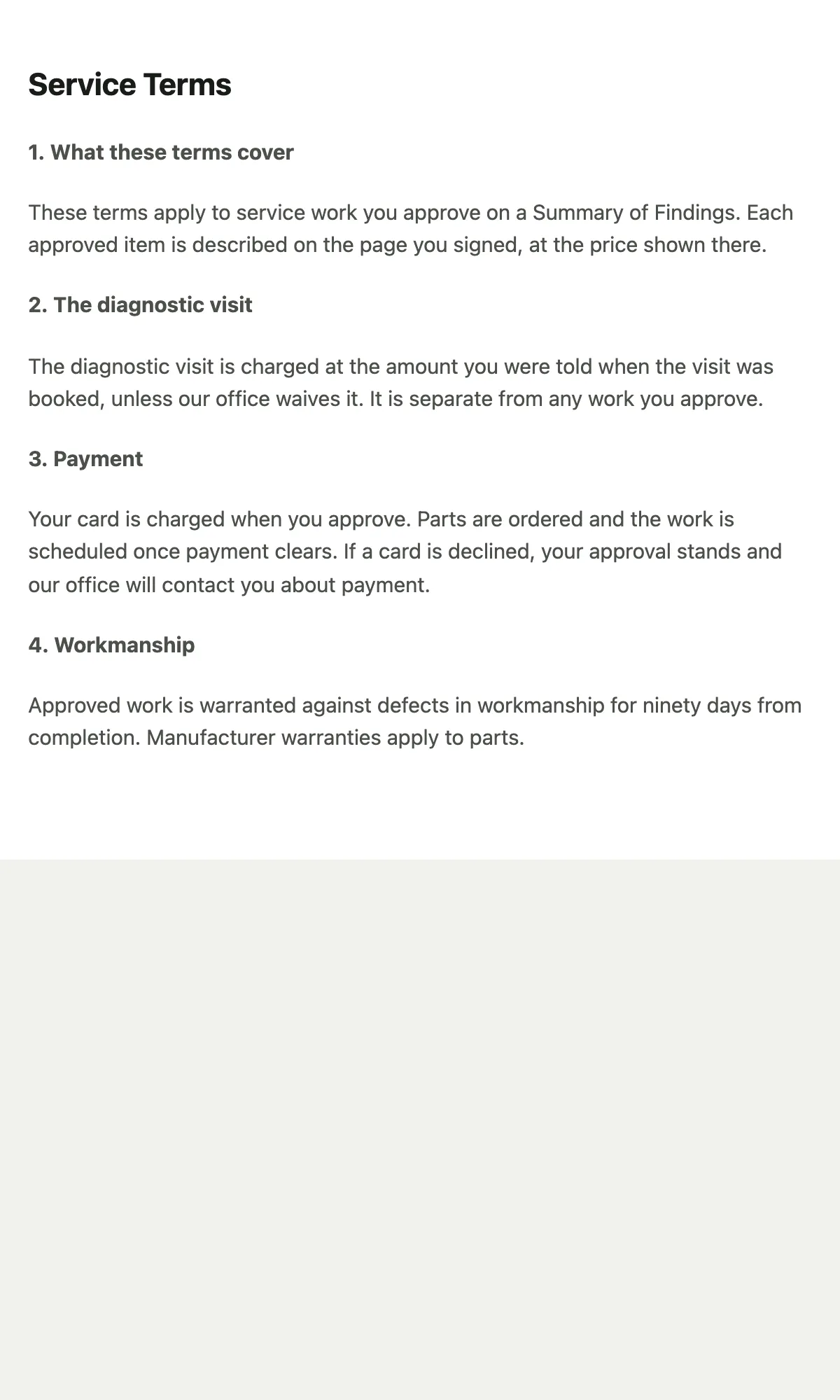
Then the signature: a typed name, a pad to sign with a finger, and the line agreeing to your service terms, with the terms one tap away. The button reads Approve and pay with the total. If they tick nothing, it reads “Pay for the visit” with the diagnostic fee.
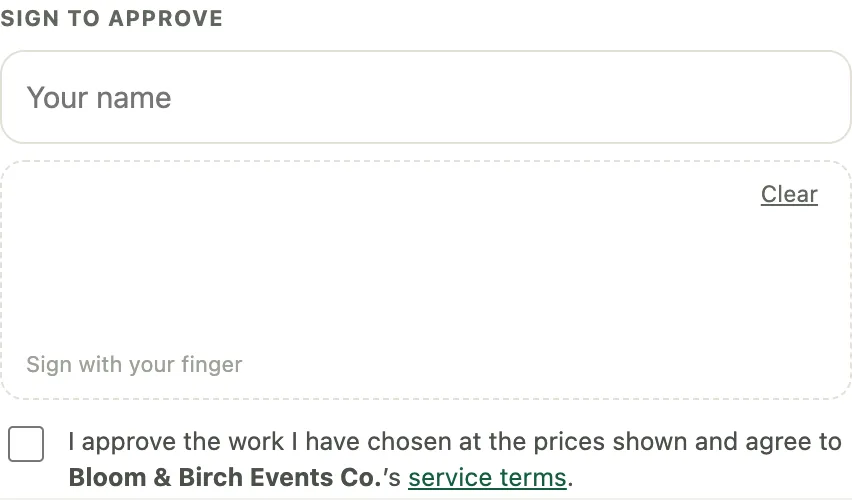 Screenshot from a demo workspace; data illustrative.
 Screenshot from a demo workspace; data illustrative.
The page after an approval
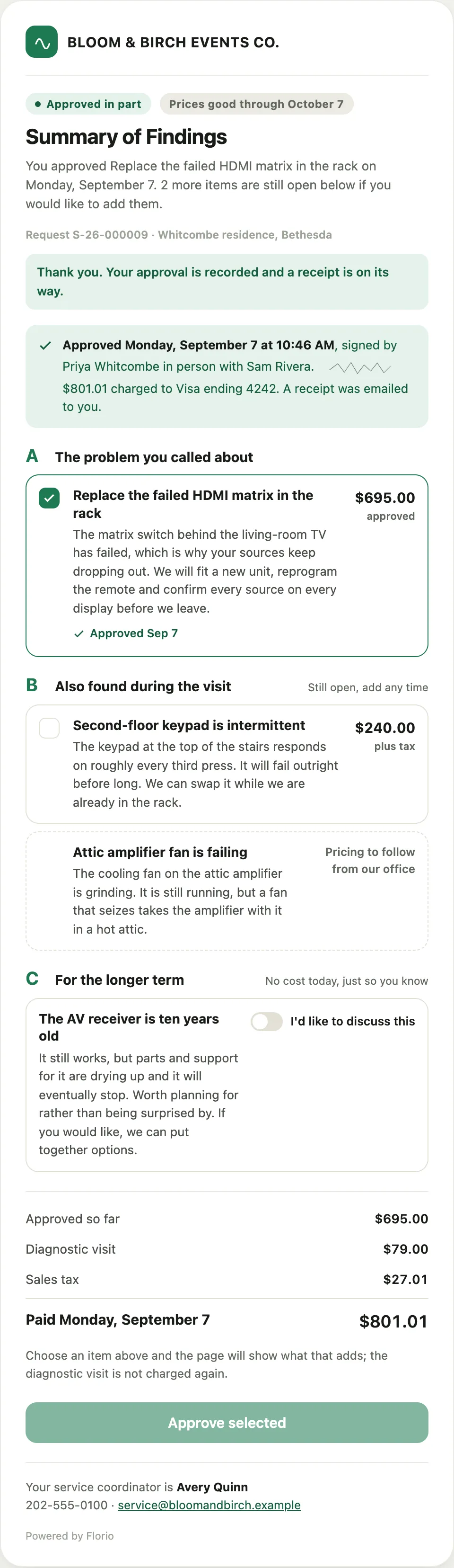
The page becomes a receipt and stays where it was. The chip reads Approved in part while anything is still open. The approved finding shows the date and a receipt line carries the time, the signer, the signature and the charge. Findings they did not take stay open, with their boxes, under “Still open, add any time”. The money block shows what has been paid so far.
 Screenshot from a demo workspace; data illustrative.
Ticking an open finding later turns the button back into Approve and pay with only what that adds. The diagnostic visit is not charged again. Approving it is a second record on the request, never a change to the first.
 Screenshot from a demo workspace; data illustrative.
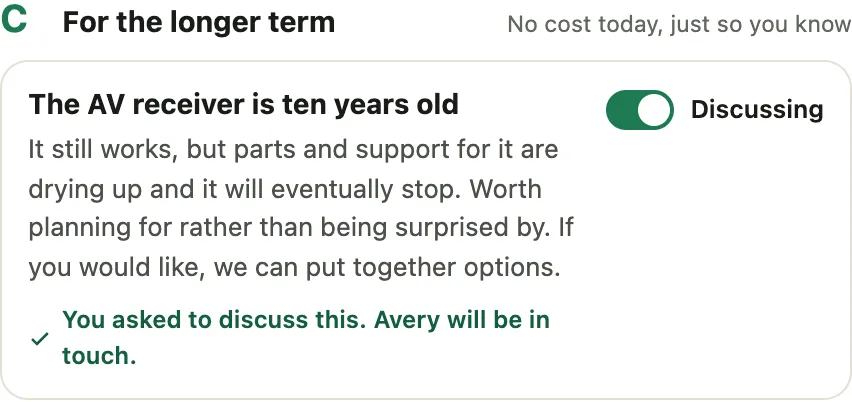
When they ask to discuss a longer-term item, the switch reads Discussing and the finding carries a note that someone will be in touch.
 Screenshot from a demo workspace; data illustrative.
In Spanish
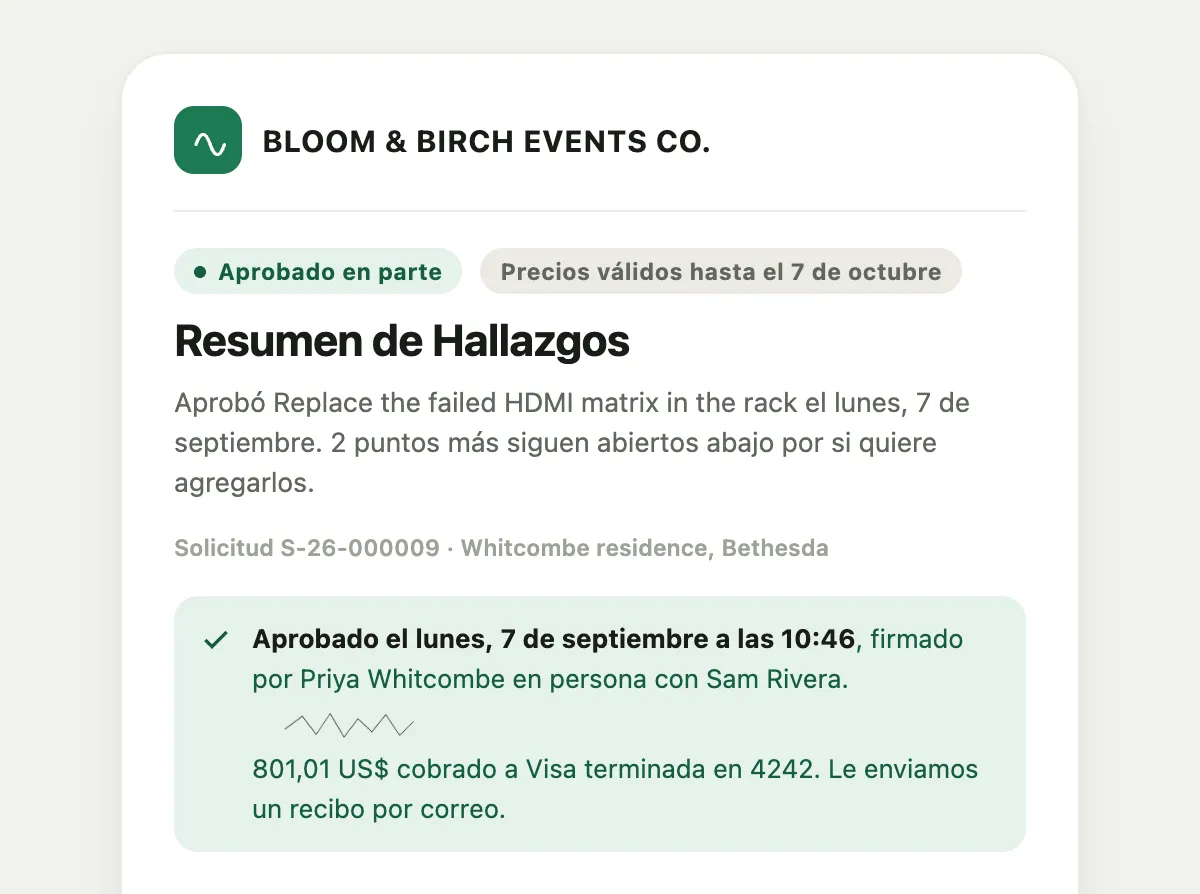
The page follows the customer’s language. Add ?lang=es to the link, or the office sends it to a
contact whose language is Spanish, and every label, section and the terms line appear in Spanish.
 Screenshot from a demo workspace; data illustrative.
When a link no longer works
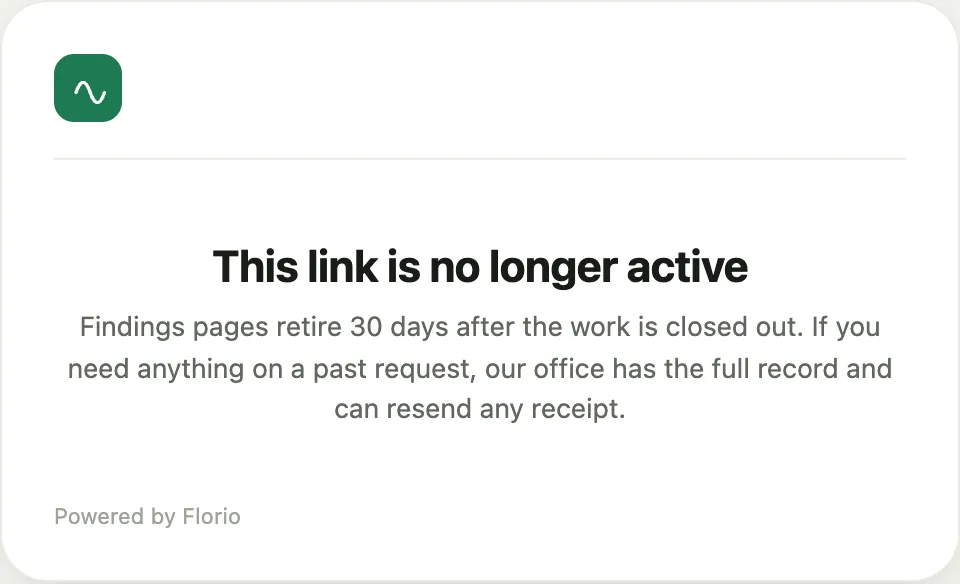
A link that was voided, a tablet page after the day it was handed over, a page thirty days past the call closing, or a guessed address all show the same thing: This link is no longer active, in your branding, with the coordinator to call. It never says whether the request exists.
 Screenshot from a demo workspace; data illustrative.
The emails
Four emails ride with the page, all in your branding, all naming the coordinator, and all threading back to the request when the customer replies.
The link
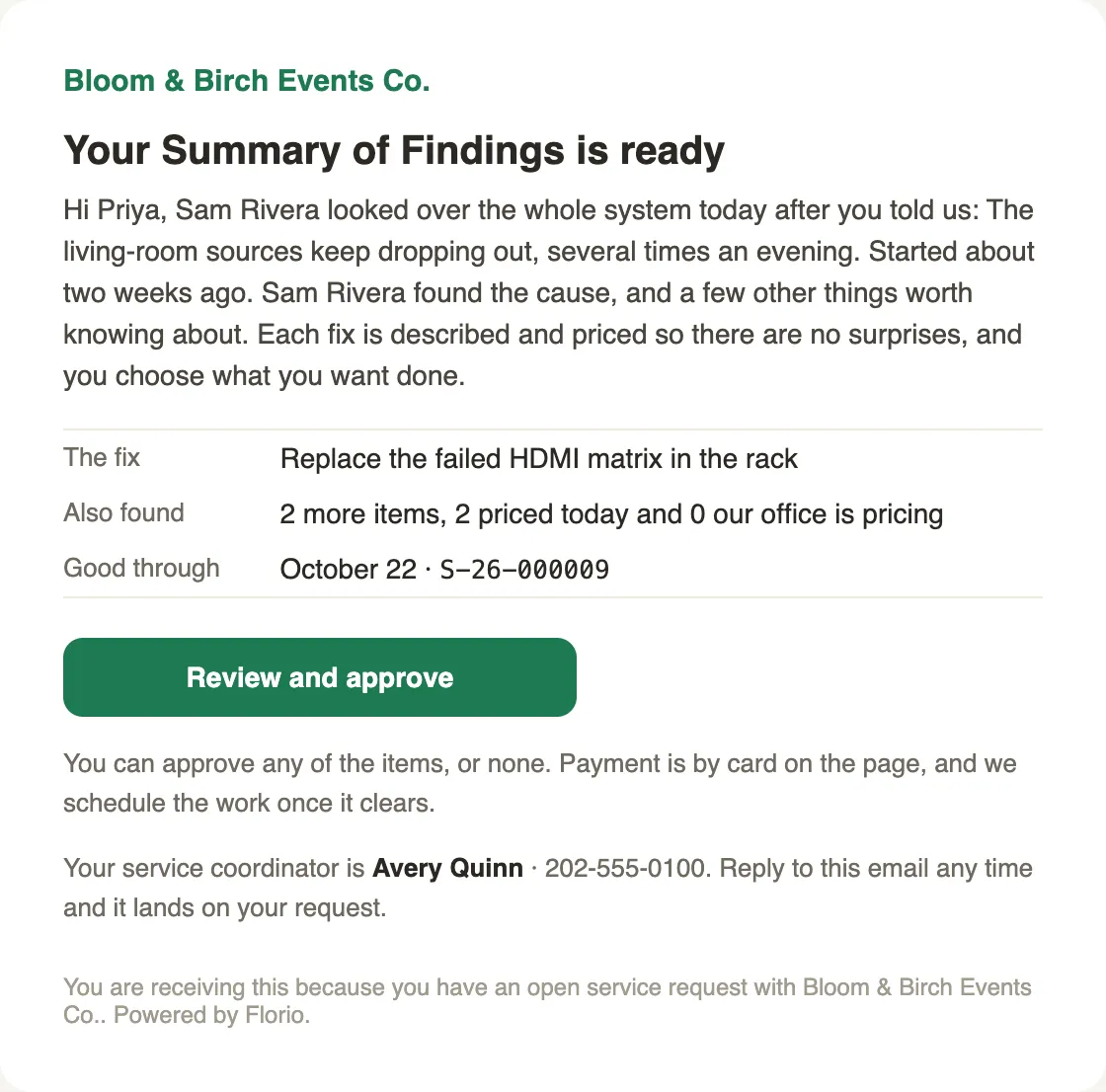
Sent by the technician from the builder or by the office from the call. It names the fix and says the rest is priced, with no numbers in the inbox; the prices live on the page beside the sentences that earn them.
 Screenshot from a demo workspace; data illustrative.
The receipt
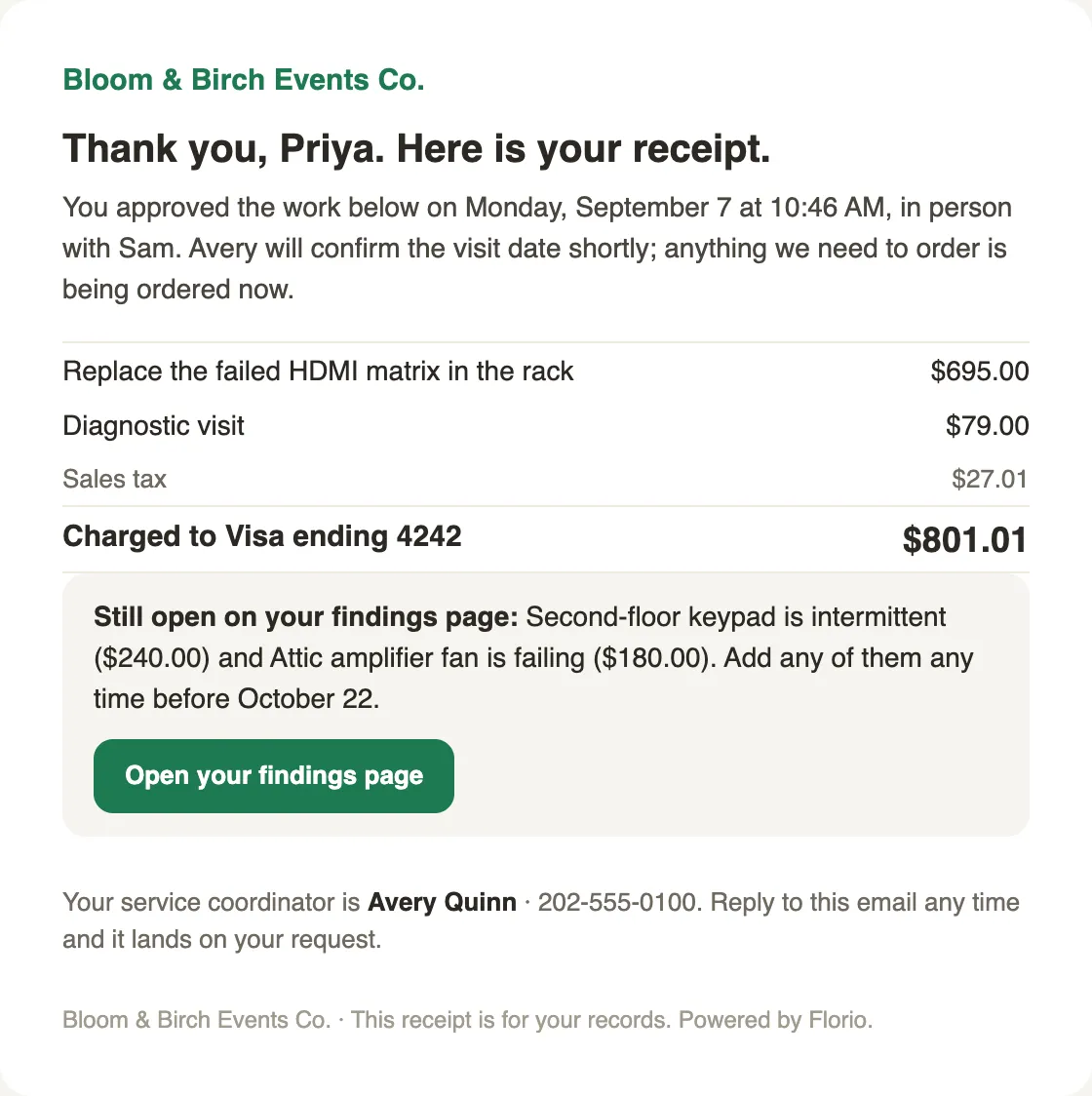
Sent the moment a card is charged. This is the customer’s invoice document: the findings they approved, the diagnostic visit, the sales tax, the card, and what is still open.
 Screenshot from a demo workspace; data illustrative.
The priced update
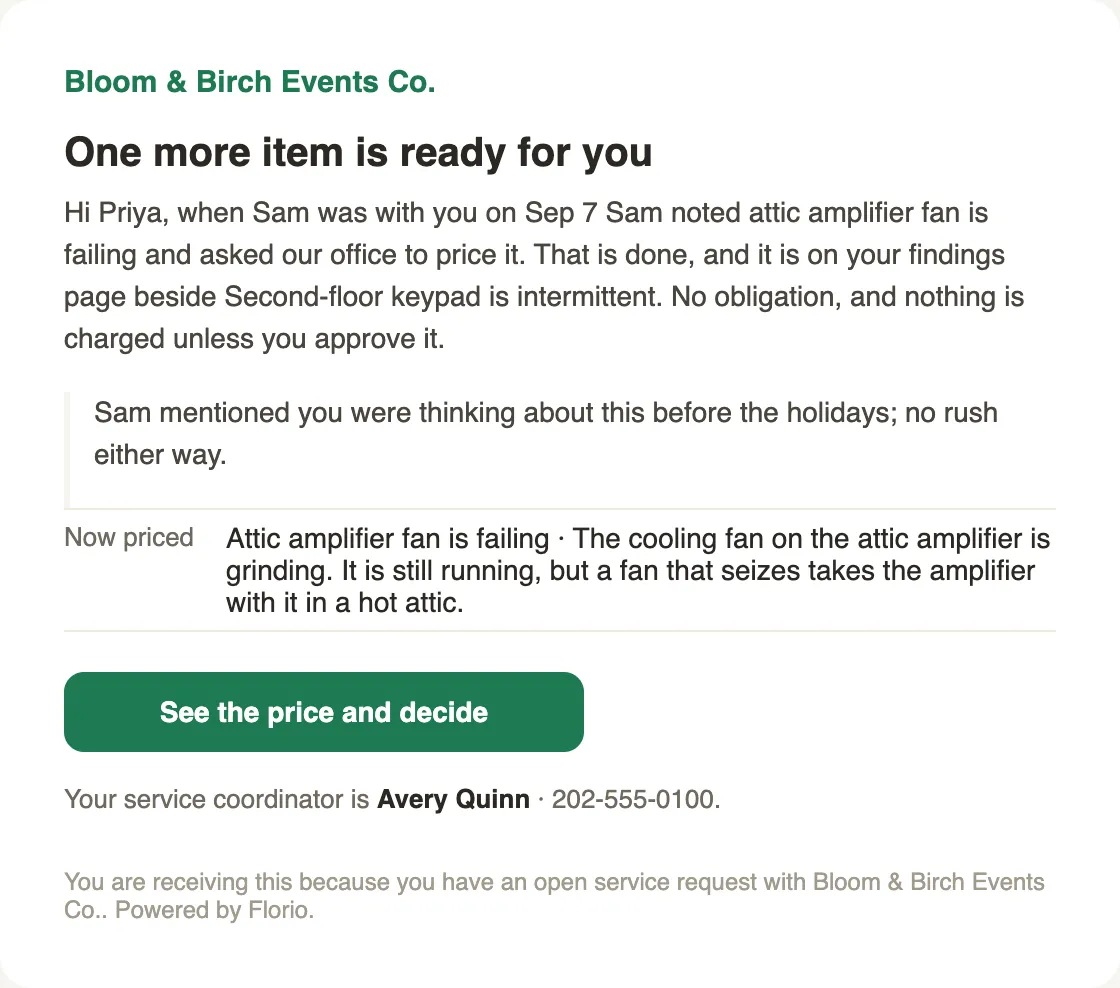
Sent from the call page when the office prices a finding the technician handed over. Default text, plus any sentence the coordinator adds.
 Screenshot from a demo workspace; data illustrative.
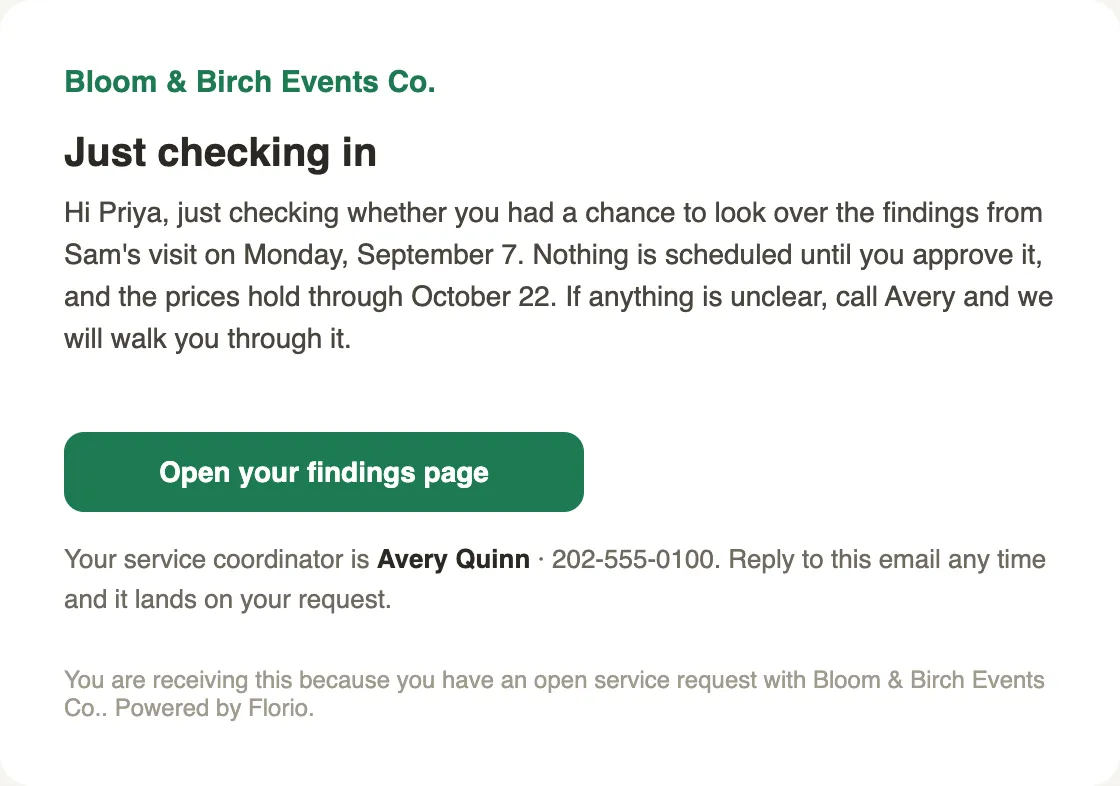
The nudge
The office’s check-in on a page that has not been signed. Also default text the coordinator can change, and sending it counts as a follow-up.
 Screenshot from a demo workspace; data illustrative.
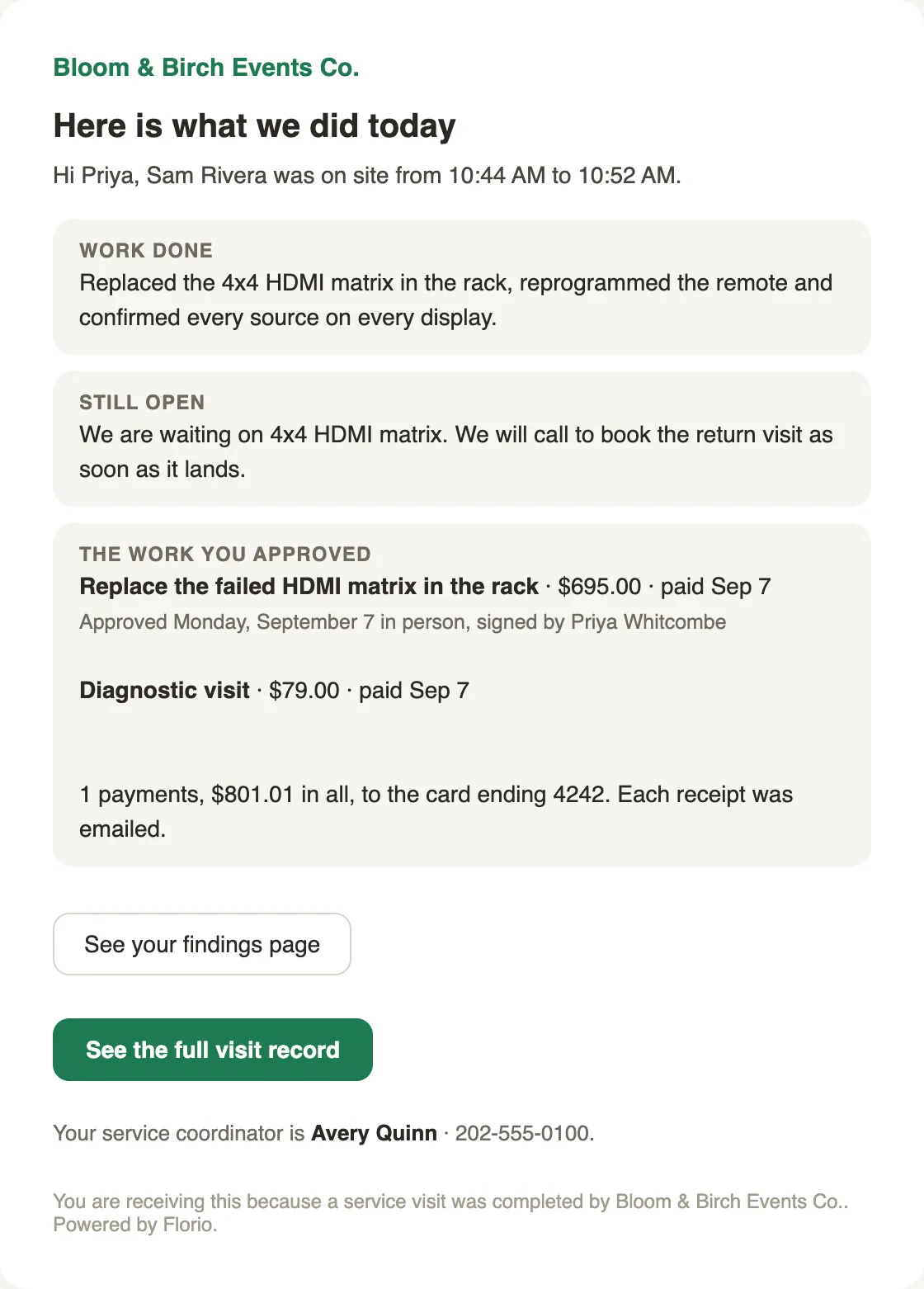
After the visit
When the after-visit summary is switched on, the “Here is what we did today” email gains a money block read straight from the approvals: the work they approved with its price and when it was paid, the diagnostic visit, and the total to the card. Every figure is a fact from an approval, never a projection.
 Screenshot from a demo workspace; data illustrative.