Read projected versus actual
The margin you proposed is a promise; the margin you actually made is the truth. Because the schedule, the time clock, and the books are the same platform, Florio can lay the two side by side once an event is over, so a good-looking proposal that ran long on labor cannot hide.
Before you start
- Actuals appear once they exist. Labor fills in from the time clock as your crew punches in and out; costs and revenue fill in from the books once QuickBooks is connected.
Steps
-
Open a finished event’s scorecard, or look at the scorecard panel on the event record. When actuals exist, the numbers show three columns: Projected, Actual, and the difference.
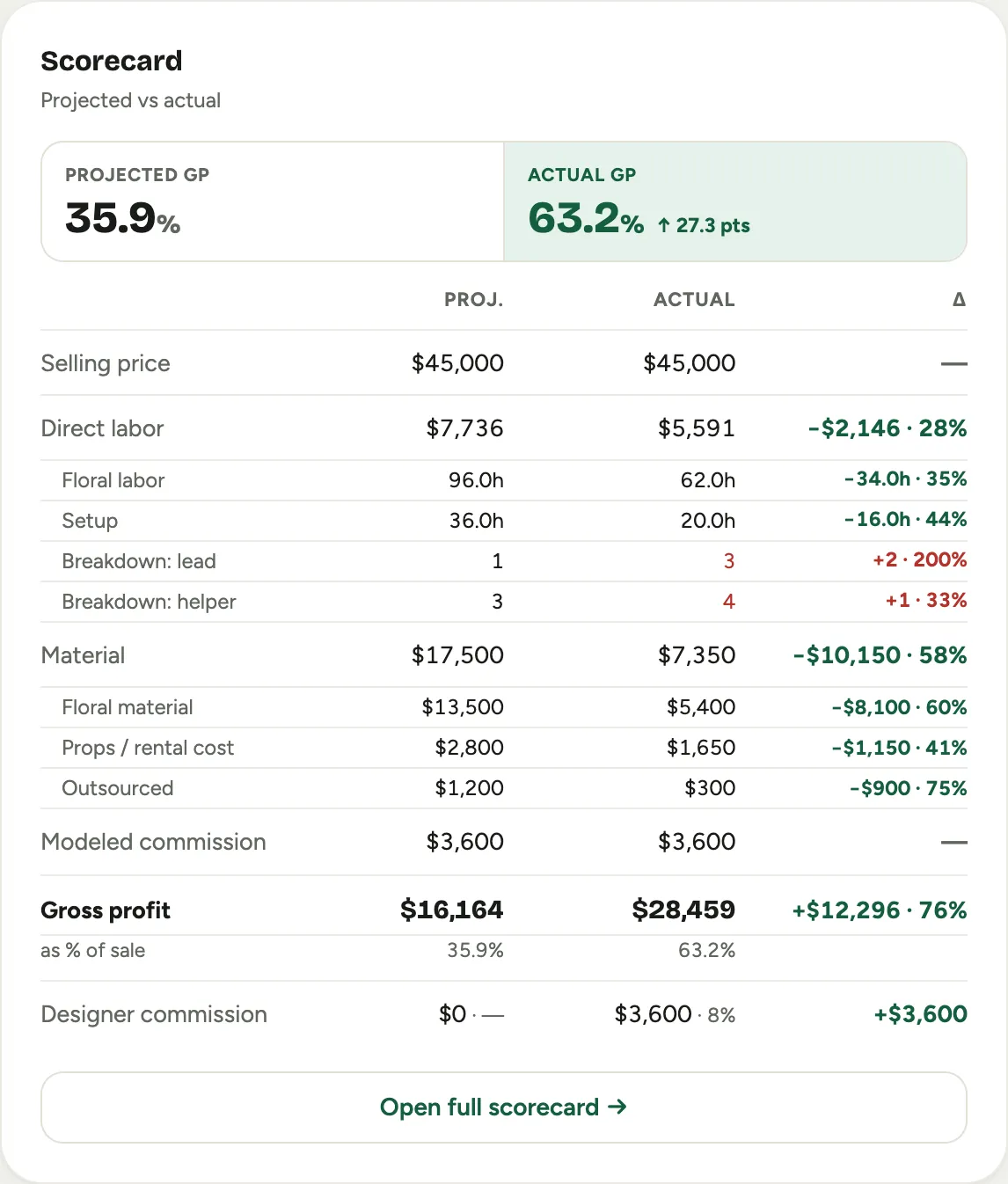 Screenshot from a demo workspace; data illustrative.
 -
Read the delta column. Over-plan costs and missed revenue are colored as unfavorable; coming in under cost or over on revenue is favorable. The biggest gap is called out for you, so you know where to look first.
-
Check the gross-profit line at the bottom: that is the number that matters, the margin you actually earned against the one you promised.
Good to know
- Labor is live. Hours pulled from the time clock update as the crew works, so the actual labor cost is real, not hand-entered.
- Why it matters beyond curiosity. Commissions can run on actuals, so an honest after-the-fact number is what keeps pay fair and the next quote smarter.
- The event record has the short version. The compact scorecard panel on the event shows the same projected-against-actual story with a Selling, GP, and Comm. summary. See Events.
- Where this fits: The margin scorecard.