Review the notes from a meeting
Record a consult and Florio hands you the meeting back as structure: a summary of what was decided, a read on how the conversation went, and a short list of drafted follow-ups. You review all of it before anything is created, so it is a head start, not an autopilot.
Before you start
- Meeting recording must be turned on for your workspace, and you turn on Record + summarize with AI when you start the meeting. Get everyone’s consent first.
- The notes appear on the record the meeting is linked to (an event, lead, or customer), on its Activity feed.
Steps
- After the consult, open the record and go to its Activity feed.
- Read the AI meeting summary row for what was decided and what the client asked for. To check it against the source, open View full transcript.
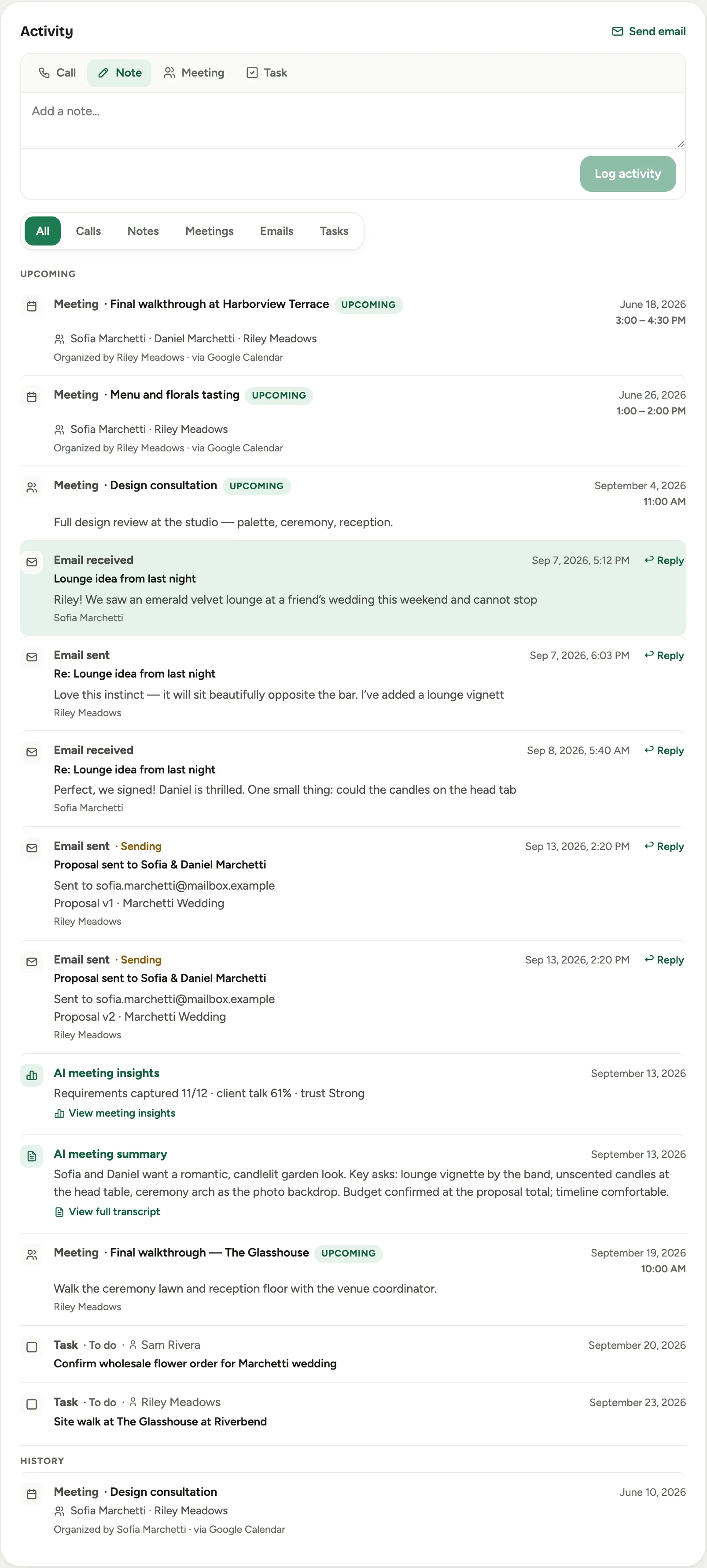 Screenshot from a demo workspace; data illustrative.
3. Open View meeting insights for the conversation read: Requirements coverage,
Client talk against staff talk, and the Trust signal, so you can see whether the
brief is complete before you build a proposal.
Screenshot from a demo workspace; data illustrative.
3. Open View meeting insights for the conversation read: Requirements coverage,
Client talk against staff talk, and the Trust signal, so you can see whether the
brief is complete before you build a proposal.
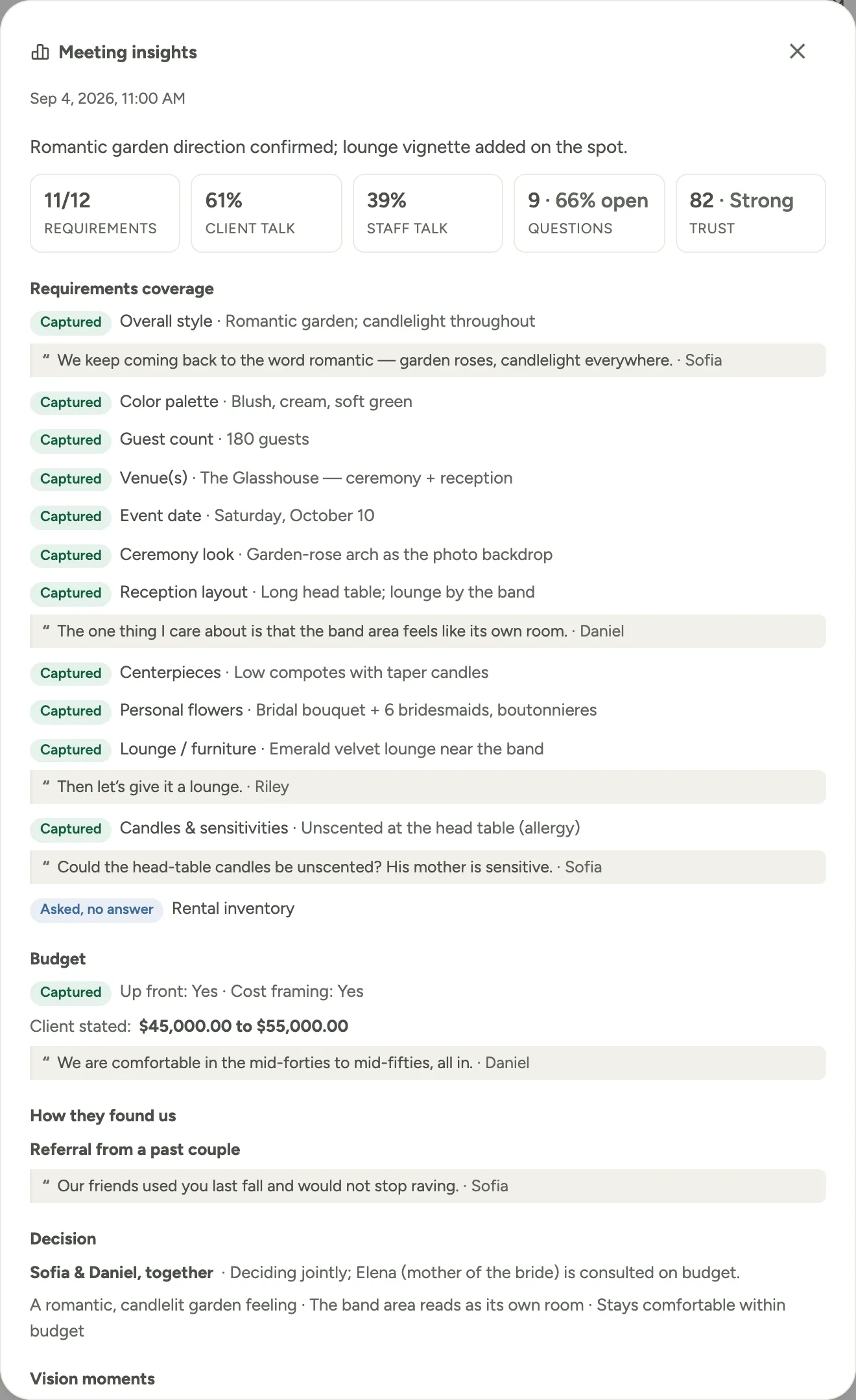 Screenshot from a demo workspace; data illustrative.
4. Act on the drafted follow-ups. A Review AI actions from your meeting banner opens
Meeting follow-up actions, a list of suggested next steps: a draft proposal, a
follow-up meeting, or a task.
5. Go through them one at a time. Approve the ones you want, which creates the draft or
the task, and Dismiss the rest. Nothing is created until you approve it.
Screenshot from a demo workspace; data illustrative.
4. Act on the drafted follow-ups. A Review AI actions from your meeting banner opens
Meeting follow-up actions, a list of suggested next steps: a draft proposal, a
follow-up meeting, or a task.
5. Go through them one at a time. Approve the ones you want, which creates the draft or
the task, and Dismiss the rest. Nothing is created until you approve it.
Good to know
- A suggested proposal can only be drafted when the meeting is linked to an event, so if the consult is still on a lead, convert it to an event first.
- When a suggested line matches an item in your price book, approving it applies that item’s price and costs; you can clear the match to have the designer price it instead.
- The same recap can be sent to the client as a tidy email, so they leave the consult with a written summary of what you agreed.