Merge duplicate customers
Sometimes the same customer ends up with two records, or a person you booked as an individual turns out to belong under a company. Merging folds them into one so all the history lives in a single place. Everything, events, orders, contacts, and dates, comes across.
Before you start
- Open the customer record you want to keep. That is the survivor; the other record merges into it.
- Know which of the two situations you have: two records for the same customer, or a person who should sit under a company.
Steps
-
On the customer you are keeping, scroll to Merge & consolidate and click Merge / move in.
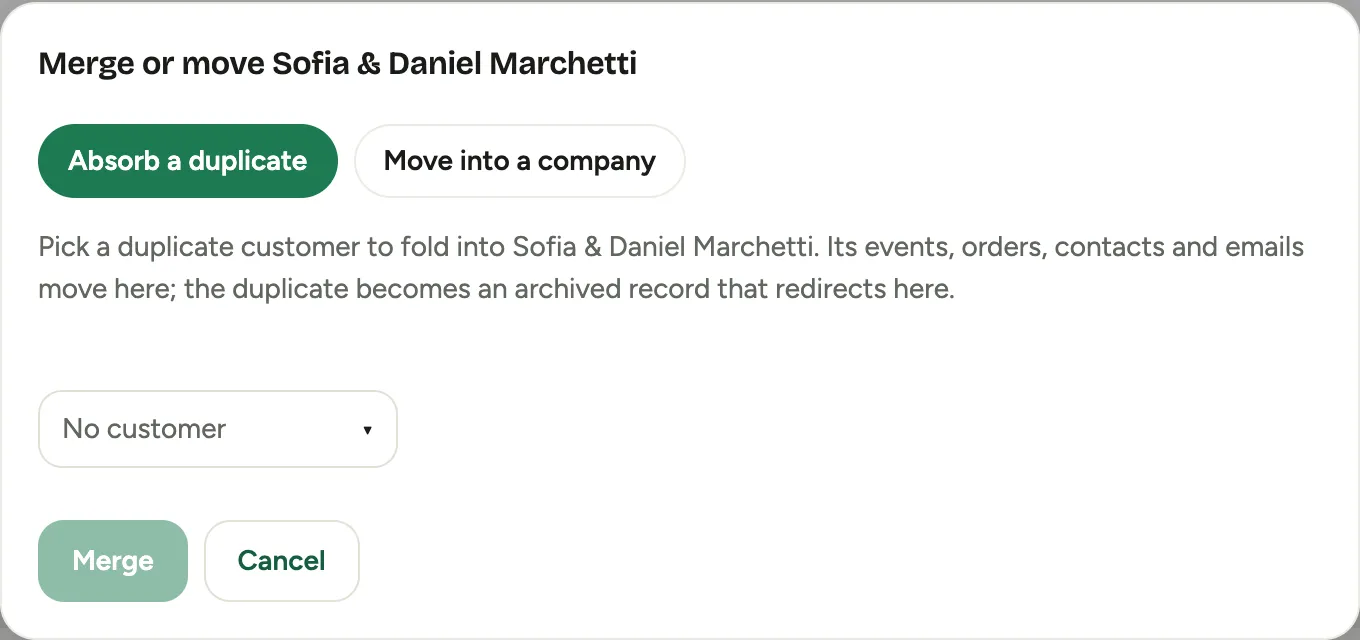 Screenshot from a demo workspace; data illustrative.
 -
Choose the situation:
- Absorb a duplicate when two records are the same customer. Pick the Duplicate to absorb.
- Move into a company when an individual should live under a company. Pick the Company, and optionally set their Relationship and Title so they land as a contact.
-
Review What moves. Florio lists everything that will come across, events, orders, contacts, important dates, emails, and more, so there are no surprises.
-
Check Which value wins? for any fields that differ between the two records, such as phone or email, and pick the value to keep.
-
Confirm with Merge, or Move in as contact if you chose to move a person into a company.
Good to know
- The absorbed record is archived, not hard-deleted, and every event, order, rental, and contact it held moves onto the surviving record.
- Move into a company is how you tidy up after booking a wedding under the bride’s name and later learning it should sit under her company. She becomes a contact on the company, keeping her events.
- If you are unsure two records are truly the same customer, open both first. A merge is meant to be permanent.
- Where this fits: Leads and customers.