Send a proposal for signature
A proposal is where the booking is won. Florio drafts the skeleton, you art-direct it, and the numbers are checked before it goes out. Here is the shape of it.
Before you start
- Your catalog (price book) should hold the items you are quoting, entered at cost.
- Set a target margin so the scorecard has something to check the price against.
Steps
- Open the event and add line items from your catalog. Prices come from your price book.
- Add photos of your own past work from the library. Search by what is in the picture, like “blush centerpieces in gold vessels.”
- Review the margin scorecard. If the price clears your target, the proposal can go out; if it falls short, Florio holds it at the gate so you can adjust.
- Choose Send to customer. Florio opens a message with the event’s contact already selected (tagged Event contact) and the account’s other people listed below, so the proposal reaches the right person and not a generic company inbox. When the customer is a person rather than a company and the event has no contact of its own, the customer’s own email is listed instead, tagged Customer and already ticked; a company’s shared address shows as Company inbox and is never ticked for you. Check everyone who should receive it: each person gets their own copy with a private link, so you can see who opened and signed. Edit the subject and greeting, add a personal note, and if you want to meet first use Propose times to offer slots from your calendar inside the email.
- Send it. The client opens the review and sign page, signs online, the deposit invoice sends itself, and the date blocks on your calendar.
Good to know
-
The scope of work opens the proposal. Right after the cover, and the concept page when the proposal has one, the PDF prints the proposal’s scope of work on its own page, formatted as you wrote it in the builder: paragraphs, bold, italic, bullet and numbered lists, and the line breaks you typed. The first products section always starts on a fresh page after it. A proposal with no scope of work prints exactly as before.
-
The cover names the venue. Under the event date, the proposal cover carries the venue and city for each location on the event, so the client sees where the day happens before any pricing. It never shows the street address, which stays on the internal side. A cover without photos lists every location; a cover built around photos shows the first one so the line under the title stays short.
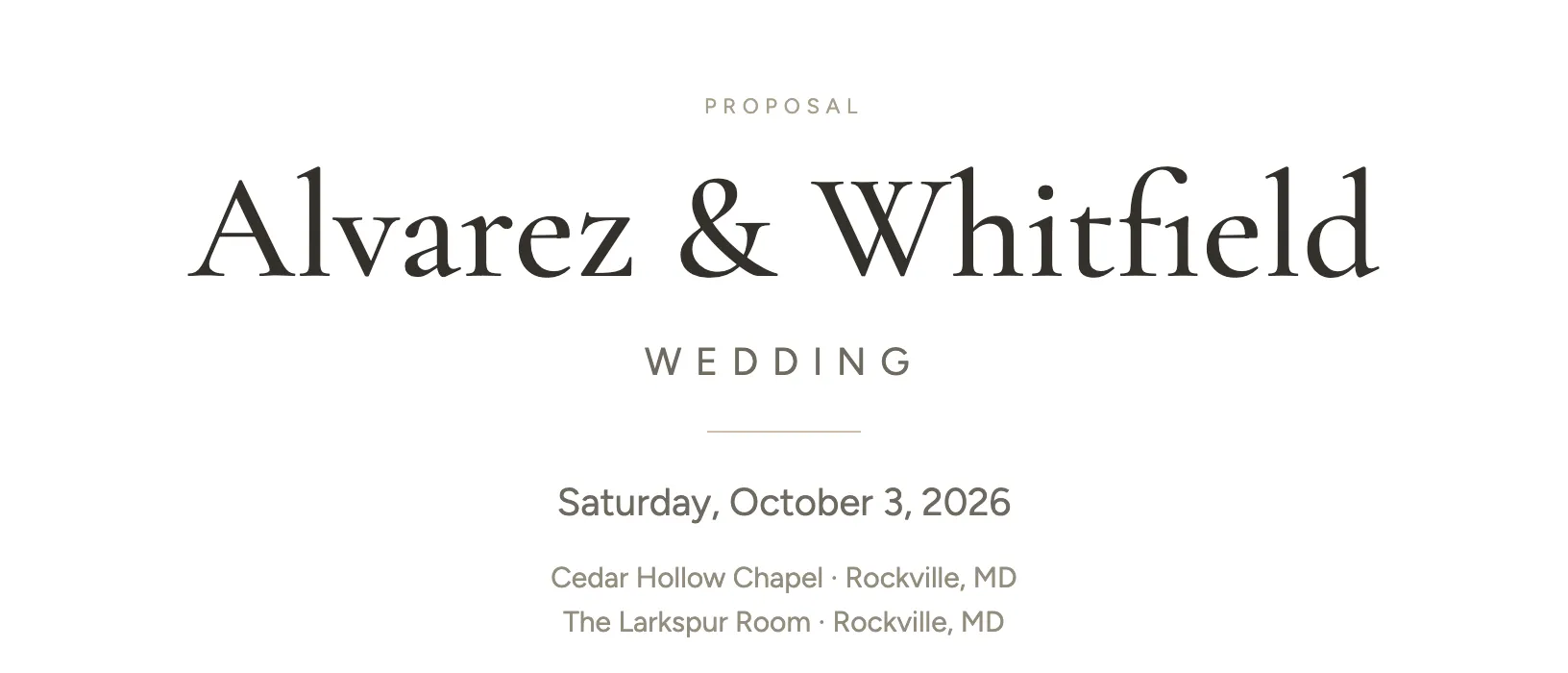 Screenshot from a demo workspace; data illustrative.
 -
The day’s times close the deck. After the last product section, right before the Investment summary, the proposal prints the day-of schedule: every timed slot on the event, from setup available through breakdown, so the client and their venue see when the day happens next to what it costs. Times only. The note you type on a slot is written for your crew, so it stays on the internal cost sheet and never reaches the client.
-
Photos open full size. Every line item photo in the PDF is a link. Tap or click one and the full size, uncropped image opens in the browser. The link goes through Florio rather than the photo’s storage address, so it keeps working even in a copy the client saved months ago. Descriptions also keep the line breaks you typed, so a stem list reads as a list on paper, and the quantity and unit price line prints larger and darker than before.
-
Nobody on the event has an email address? Florio stops you before it sends to nobody. Add email saves an address right in the send window, on the contact or on the customer record, so it is there next time. Or use Copy signing link instead to share the link from your own inbox. Copying the signing link marks the proposal sent, so the link works right away, without Florio sending an email.
-
The same address on two customers. If an address you add already belongs to another customer, Florio says so and offers Open that customer. It is usually the same person entered twice: merge the two so their emails and events stay together.
-
Sending it yourself. Copy signing link hands you the review and sign link to paste into your own email or text. Copy PDF link gives a read only link to the proposal.
-
Send it again. After a proposal goes out, Send to customer stays where it was. Choose it again and Send Again opens with the same recipient list. It emails the same version, with no new version and no new approval, every link you already sent keeps working, and the activity log records it as Proposal re-sent.
-
The client signed outside Florio? On a sent proposal, Record client signature under Manage accepts the event as if they had signed online. It asks first, because it builds the payment schedule, opens the project and closes the client’s signing link, and it cannot be undone from the proposal.
-
Both PDFs in one click. Client PDF and Internal PDF sit next to Preview on the proposal, so either opens in a new tab without going through the preview page. Internal PDF only shows for roles that can see costs.
-
Add someone new right here. In the send window, Add someone else takes a one off name and email, and can save them as a contact on the customer so they are already there next time.
-
Watch delivery. The proposal lists who opened and signed each copy, and now says plainly when a send failed, for example a missing address, instead of sitting on “awaiting delivery confirmation.”
-
Offered times you no longer want to hold? The Proposed times added chip in the send window has a Remove that hands the held slots back to your calendar, without disturbing the rest of the message. See what holding a time does.
-
The planner changed everything on a Tuesday? Create a new version. It takes minutes, and you can show exactly what changed.
-
Record the consult and Florio can turn the transcript into a draft event with line items to refine. It is a head start, not an autopilot.
-
Full detail: Proposals and your photo library.