See meetings from Google Calendar
Not every meeting starts in Florio. A designer books a walkthrough from their phone, a client sends their own calendar invite for a consultation, and neither one touches the CRM. Florio reads your team’s Google Calendars and, whenever a meeting has a client on the guest list, adds it to that customer’s Activity feed. The result is the complete picture of every touchpoint, side by side with emails, calls, notes, and tasks.
Where meetings appear
Open the customer record and find the Activity card. When there are meetings on both sides of today, the feed splits into two groups: Upcoming at the top with the next meeting first, and History below it, newest first. Each meeting row shows the date, the meeting name, and who was invited, plus who organized it.
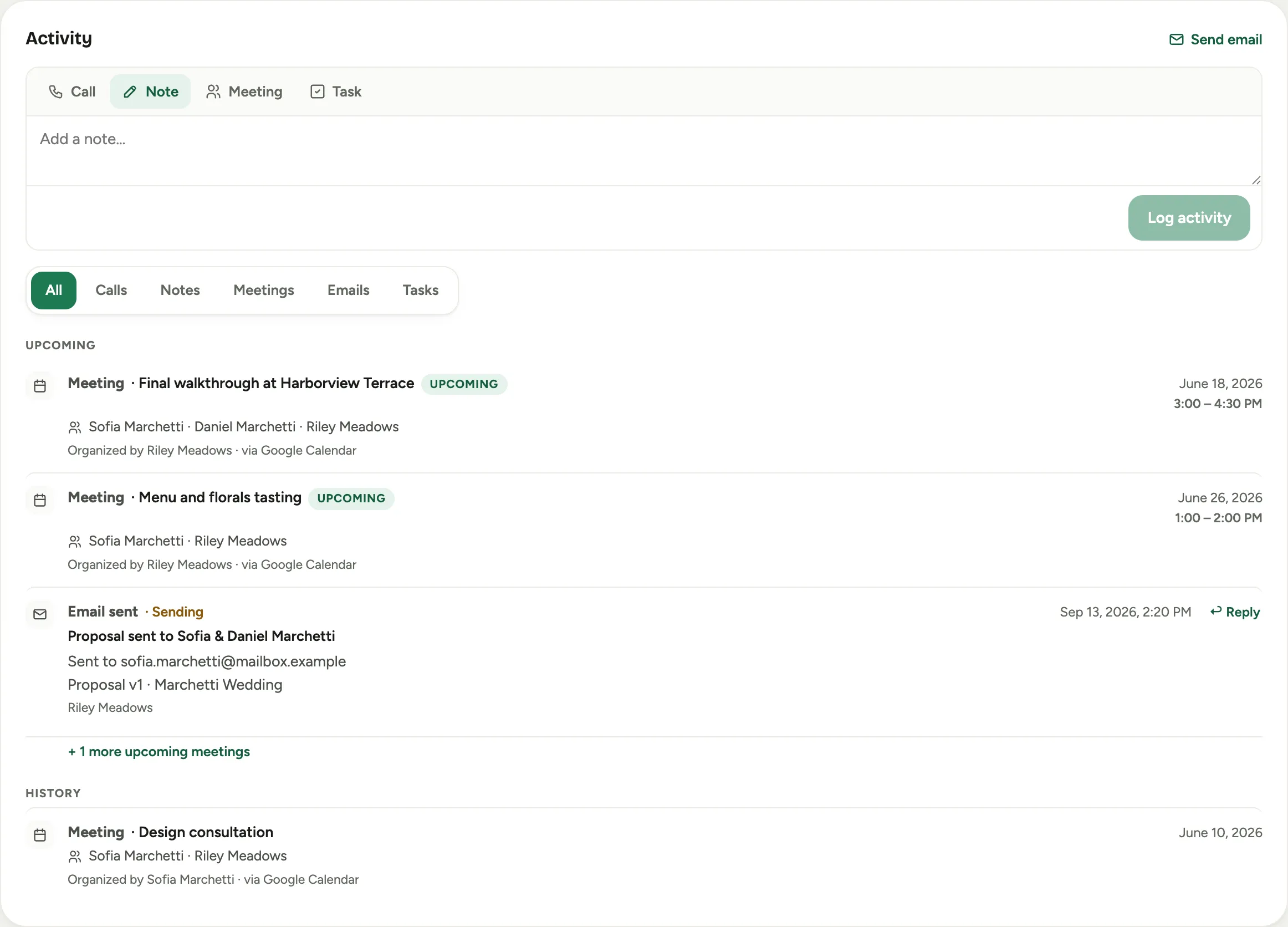 Screenshot from a demo workspace; data illustrative.
Meetings also appear on the matching lead while a prospect is still in your pipeline, and they follow the record when the lead becomes a customer.
Steps
- Open the customer and scroll to the Activity card.
- Use the Meetings filter chip to see only meetings, or leave All selected to see them among the emails and notes.
- Click any meeting from Google Calendar to open its full details: the date and time, the organizer, the location, the complete guest list with each reply, and the meeting description.
- From the details you can Join Google Meet when the meeting has a video call, or open View in Google Calendar to see it in Google.
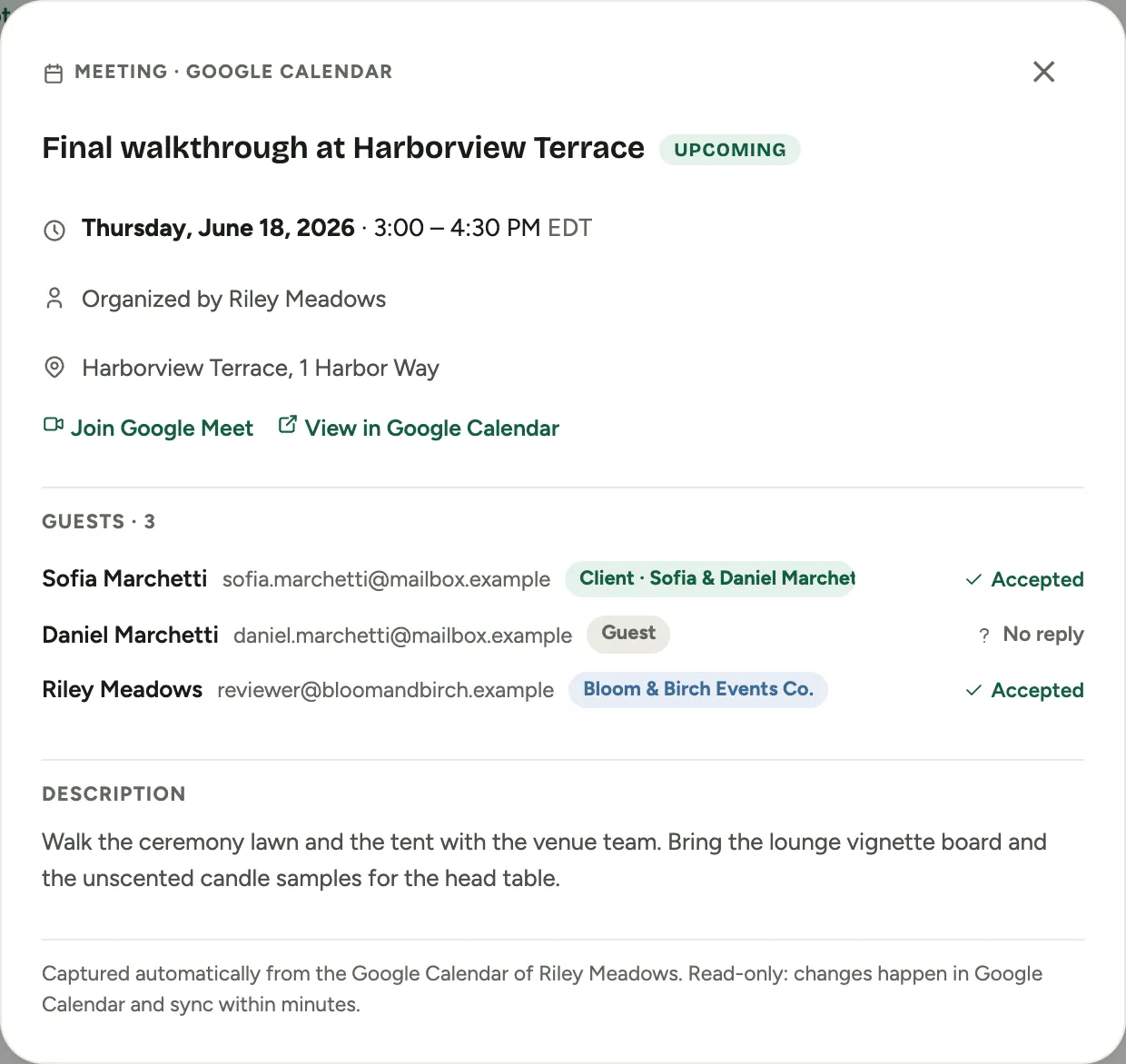 Screenshot from a demo workspace; data illustrative.
Good to know
- Meetings the client organized count too. If a client sends your designer a calendar invite, it lands on the customer’s feed the same way.
- These meetings are read only in Florio. Reschedule or edit in Google Calendar and the change appears here within a few minutes. A cancelled meeting drops off the feed on its own.
- A meeting booked from Florio’s own meeting button shows once, not twice.
- Team meetings with no client on the guest list, and meetings marked private in Google Calendar, never appear.
- The feed shows meetings up to a year ahead. Meetings booked further out are captured and appear as their date comes closer.
What we don’t publish
How Florio matches guests to customers and the controls that keep excluded addresses out of capture are described to workspace administrators during setup, not here.