Run the delivery queue
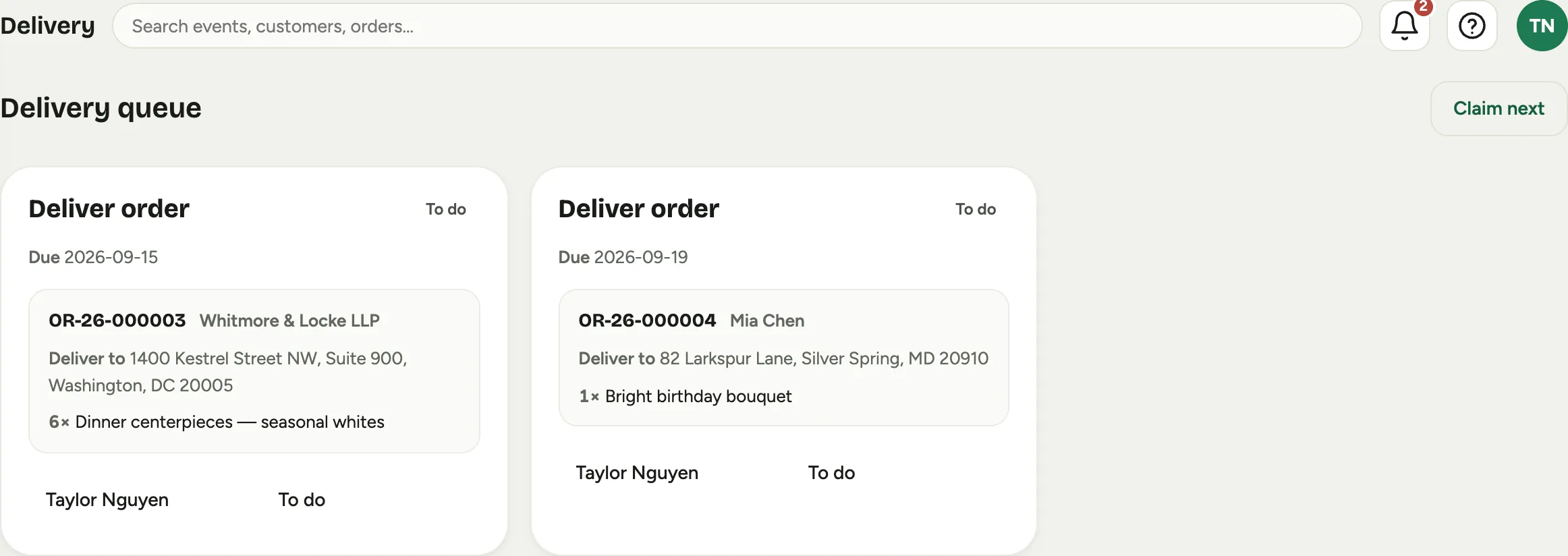
Delivery is the road half of the shop floor: one card per delivery, with the address, what is in the van, and the order behind it. This is how a dispatcher works the day off it and how a driver closes each stop.
Before you start
You need a Florio sign-in that can see tasks and move an order’s stage. A delivery card appears on its own once a delivery order is released to production, so nothing has to be created by hand. Whoever is driving should be on the delivery queue’s roster, or the work has to be claimed from the queue instead of routed to them.
Steps
- Open Delivery. Each card is one Deliver order task and reads Deliver to with the address, or Pickup when the customer is collecting it themselves.
 Screenshot from a demo workspace; data illustrative.
- Assign the day. On the queue, each card carries Assigned and Status as editable fields, so a dispatcher can hand a stop to a driver and move it without opening anything. Claim next does the same in one press for whoever wants the next job.
- The driver works from My bench, which is only their own stops. When the van pulls out, they press the card’s start action and the order moves to Out for delivery.
- You can also move the stage from the order itself. The stage track sits at the top of the order record, and pressing a stage asks you to confirm the move.
 Screenshot from a demo workspace; data illustrative.
- At the door, capture the proof. That is its own short guide: Prove a delivery.
- Press Mark done on the bench card when the stop is complete. The order moves to Delivered and the card drops off the queue.
Good to know
- The queue only holds open work. A card leaves as soon as it is done, so what you see is what is left, not a history. The history lives on the order.
- The queue looks two days ahead. Cards are sorted by the date each delivery is due, and by default only today, tomorrow and the day after show. Show everything shows the rest.
- The bench start button reads “Start build” on a delivery too. It is the same card serving both kinds of work. It still does the right thing: the order moves to Out for delivery.
- An order that is collected rather than driven reads Pickup instead of an address, and it ends at Picked up rather than Delivered.
- A stop you cannot complete should be marked with Need help rather than left open. It shows as Blocked on the queue, so the shop can call the customer while the van is still out.
- Managers can see a driver’s route trail on the order record when location was captured along the way, which is what turns “it was delivered” into “here is where and when”.